General contracting moves fast and it’s not slowing down.
Between tighter margins, higher homeowner expectations, and more moving parts on every job, the way contractors run their businesses has changed. By 2026, relying on spreadsheets, sticky notes, and scattered apps isn’t just inefficient and not to mention, it’s risky. The contractors staying profitable are the ones using better systems to manage projects, communicate clearly, track money accurately, and respond faster than the competition.
The right tools aren’t about chasing trends. They’re about reducing friction. When your software works the way your business actually works, jobs run smoother, mistakes drop, and you spend less time putting out fires.
This guide breaks down The Modern Contractor Toolkit: the 10 essential business tools every general contractor should have in place for 2026. We’ll cover the systems that help streamline operations, tighten communication, and support smarter decisions, whether you’re running a small residential crew or managing larger commercial projects. The goal is simple: build a tool stack that helps you work cleaner, faster, and more profitably as the industry continues to evolve.
1. All-in-One Project Management Software
Once a project gets past a certain size, spreadsheets stop working. Emails get missed. Files get duplicated. Someone’s always looking at the wrong version of something. That’s where projects start slipping.
By 2026, all-in-one project management software is the central nervous system of a well-run contracting business. It’s where schedules, documents, budgets, communication, and accountability live in one place. When everything runs through a single system, fewer things fall through the cracks and fewer fires need putting out.
Good project management software helps contractors:
- Keep everyone working from the same information
- Track progress and issues in real time
- Reduce rework caused by miscommunication
- Create cleaner handoffs between office, field, and subs
On the commercial side, Procore is a heavyweight. It’s built for large, complex projects and offers deep tools around project controls, financials, quality, and safety. It’s not lightweight—but for bigger operations, it’s often worth it.
For design-heavy or design-build firms, Autodesk Construction Cloud stands out because of how tightly it connects drawings, documents, and collaboration.
The key isn’t picking the “best” platform, it’s picking one that actually fits how your business runs today and where you’re headed. The right system reduces noise, improves visibility, and lets you manage projects instead of constantly reacting to them.
And this category is still evolving. More contractors want project management that ties directly into estimating, documentation, and job data without bouncing between tools. That’s exactly where platforms like Handoff are heading next, with expanded project management capabilities coming soon, built around speed, clarity, and real contractor workflows.
2. Customer Relationship Management (CRM) Systems

Most contractors don’t lose jobs because they’re bad at building. They lose them because leads fall through the cracks.
Someone called while you were on a job. You meant to follow up. Then another project blew up, and by the time you circled back, the homeowner already hired someone else. That’s exactly the problem a CRM is meant to solve.
A good CRM gives you one place to track every lead, call, text, estimate, and follow-up from the first inquiry to long after the job is done. Instead of relying on memory or sticky notes, you can see who needs a callback, who’s waiting on a proposal, and who’s gone quiet before the deal is lost.
For contractors, a CRM isn’t just a contact list. It helps you:
- Respond faster to new leads
- Keep conversations organized
- Follow up consistently without being annoying
- Build repeat and referral business
Platforms like vCita are popular because they’re built for how contractors actually work. vCita combines CRM, scheduling, payments, and client communication into one system for contractors who want fewer moving parts.
The real value of a CRM isn’t fancy features, it’s consistency and reliability. When every lead gets tracked and followed up the same way, close rates go up, communication improves, and fewer opportunities disappear just because things got busy.
3. Accounting & Financial Management Software

If your numbers are wrong, everything else is just noise.
You can run clean jobs, stay busy all year, and still struggle if your financials aren’t dialed in. In construction, money gets messy fast, job costing, retainage, payroll, change orders, material swings. By 2026, trying to manage all of that without construction-specific accounting software is asking for problems.
The right accounting system gives you real visibility into where your money is going. Not just what you billed, but what each job actually cost, where labor is leaking, and whether a project is making money while there’s still time to fix it.
Construction accounting tools are built for realities like:
- Tracking costs by job, not just by month
- Managing retainage and progress billing
- Handling complex payroll and labor categories
- Tying real job costs back to estimates
QuickBooks is still the most common starting point for contractors. QuickBooks Online with construction add-ons works well for small to mid-sized shops that want something familiar and flexible.
For contractors who need deeper construction-specific features,Sage 100 Contractor is a strong option, especially for businesses managing multiple crews, larger jobs, or more complex financial structures.
Many contractors also connect their accounting system directly to project management platforms, so job costs, change orders, and financial data stay aligned instead of living in separate systems.
At the end of the day, accounting software isn’t about pleasing your bookkeeper, it’s about protecting your margins. When you know your numbers in real time, you can make better decisions, catch problems earlier, and stop finding out a job went sideways after it’s already over.
4. Estimating and Bidding Software
Accurate estimating has always been the difference between growing profitably and slowly bleeding cash. In 2026, the biggest shift isn’t just faster estimating, it’s decision-ready estimating.
Modern estimating tools are moving away from manual takeoffs, disconnected spreadsheets, and static templates. Contractors now expect software that can ingest real project data, drawings, photos, walkthrough videos and turn it into structured, editable estimates without hours of manual work.
At the category level, estimating software in 2026 generally falls into three capability tiers:
- Digital takeoff tools that speed up measurements
- Template-based estimating systems that standardize pricing
- AI-assisted estimating platforms that reduce manual input altogether
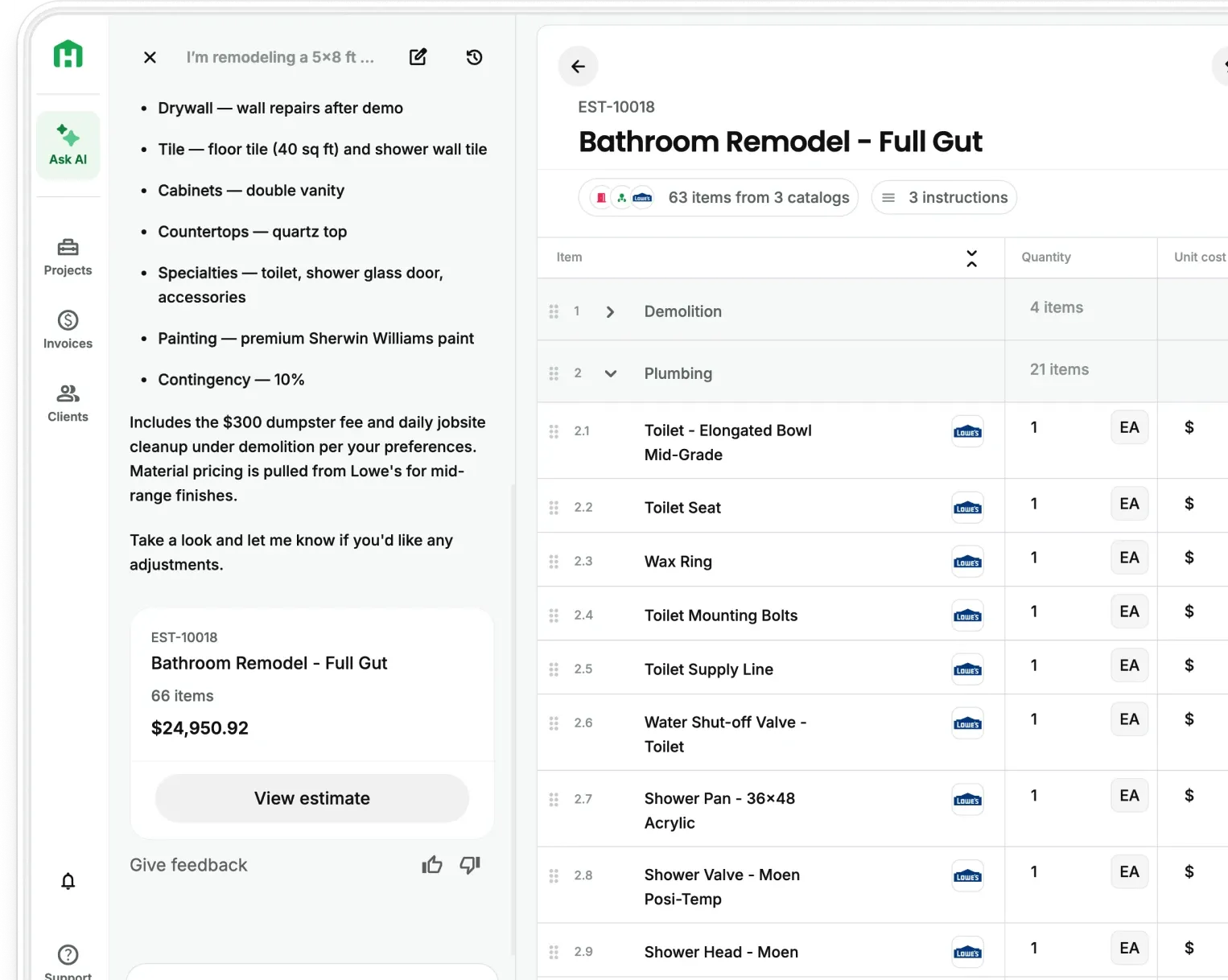
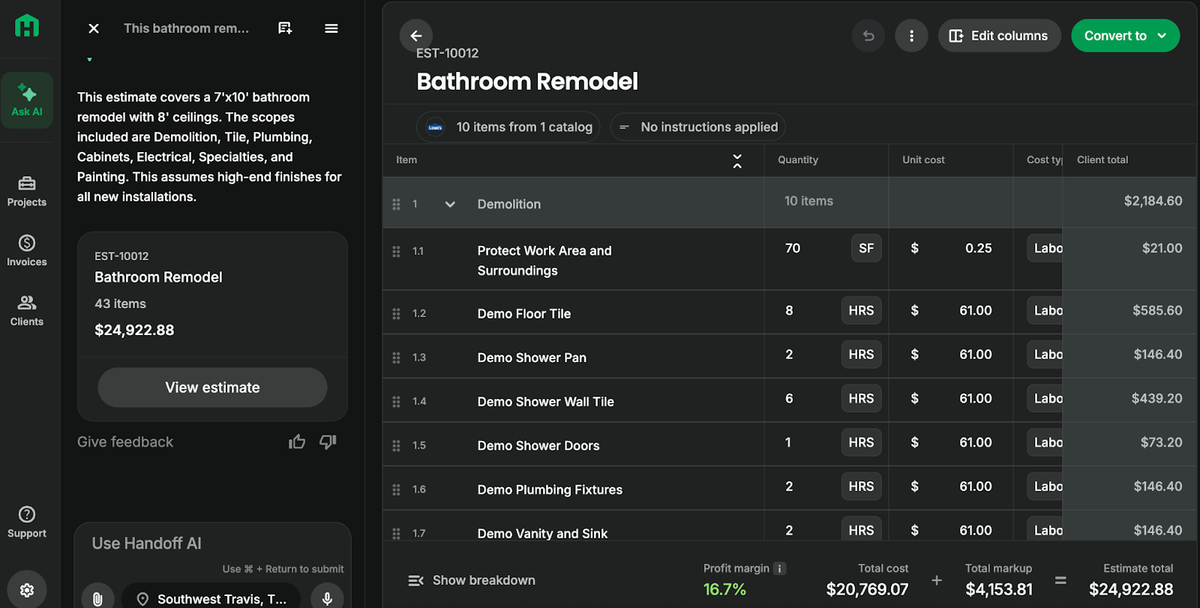
Among AI-powered options, Handoffstands out for residential remodelers and general contractors who want speed without sacrificing control. Contractors can upload plans, photos, or site walkthroughs and generate line-item estimates in minutes, while still adjusting scope, pricing logic, and margins.
The real advantage of modern estimating software isn’t just winning more bids. It’s responding faster, quoting more consistently, and giving homeowners clearer pricing.
What to look for in estimating software in 2026:
- Plan-based and photo-based estimating
- Editable pricing logic (not locked black-box numbers)
- Line-item detail instead of lump-sum guesses
- Clean, homeowner-friendly proposals
- Speed that works on-site, not just in the office
5. AI & Emerging Technologies
AI isn’t some future thing contractors need to “get ready for.” It’s already here and most of the good uses aren’t flashy at all.
In 2026, AI shows up in the background doing the boring, time-consuming work that usually eats up your nights and weekends. It’s helping contractors spot problems earlier, make better calls faster, and cut down on the kind of guesswork that kills margins.
This isn’t about replacing experience. It’s about backing up your experience with better information.
At a practical level, AI helps contractors:
- Catch schedule issues before they turn into delays
- Flag budget risks early instead of after the damage is done
- Standardize workflows so every job isn’t reinvented from scratch
- Reduce manual work around estimating, documentation, and reporting
One of the most useful applications is AI-assisted project management. Instead of manually updating schedules and juggling resources, AI can analyze job data and help identify bottlenecks, workload imbalances, and risk areas before they blow up. That means fewer surprises and smoother handoffs between phases.
The contractors getting the most out of AI aren’t chasing every new tool. They’re using it selectively to remove friction from planning, estimating, coordination, and decision-making. When AI handles the repetitive work, you get more time to focus on the parts of the job that actually require judgment, experience, and leadership.
6. Drone & Reality Capture
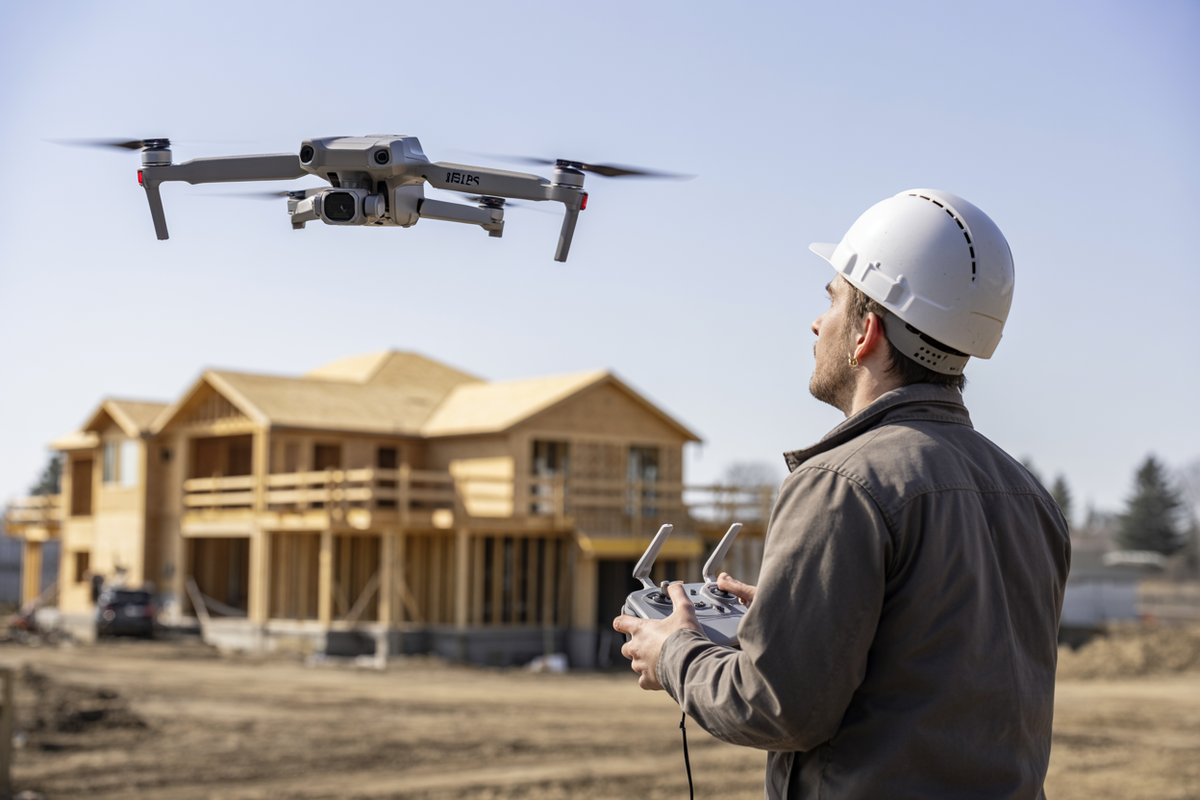
Drones aren’t a gimmick anymore. By 2026, they’re just another tool smart contractors use to see problems sooner and document work better.
Instead of climbing ladders, walking massive sites, or guessing what’s happening in hard-to-reach areas, drones give you instant visibility. A quick flight can capture progress, check rooflines, inspect elevations, and document conditions without slowing the job down or putting someone at risk.
That footage becomes more than photos. When paired with reality capture software, it turns into usable data: site maps, 3D models, measurements, and visual records you can actually make decisions from. It’s especially valuable for site planning, progress verification, quality control, and covering yourself when questions come up later.
Platforms like DroneDeploy are popular because they combine drone flights, site documentation, and analytics in one place.
The real value of drones isn’t flashy visuals, it’s fewer site visits, better documentation, and fewer surprises. When you can see the job clearly without being there every minute, you save time, reduce risk, and keep projects moving forward.
7. Communication & Collaboration Tools

Most construction problems don’t start with bad work. They start with bad communication.
Someone didn’t see the latest plan. A change was mentioned but never documented. A photo never made it back to the office. By the time you catch it, the work’s already done—and now you’re fixing it on your dime.
That’s why communication tools matter in 2026. Not to add more apps, but to keep everyone looking at the same information at the same time. Good collaboration tools create a shared record of what’s happening on the job, so decisions don’t get lost in texts, voicemails, or half-remembered conversations.
Photo documentation is one of the biggest upgrades contractors have made. Tools like CompanyCam let crews snap photos in the field and automatically tie them to the right project.
For plans and drawings, Bluebeam is a staple. It lets teams mark up PDFs, leave comments, and review changes without printing and rescanning plans a dozen times. Everyone can see what changed, when it changed, and who signed off.
And for day-to-day communication between the office and the field, tools like Slack help replace scattered texts and emails with organized, project-based conversations.
Radios still work on-site, but digital communication tools create accountability and memory. When conversations, photos, and markups live in one place, jobs run smoother, mistakes drop, and you spend less time putting out fires that never should’ve started.
8. Lead Generation and Marketing Platforms

In 2026, successful contractors don’t rely on a single lead source, they are focusing on becoming more visible. Marketing tools are no longer about chasing leads; they’re about being present when homeowners are already researching projects, costs, and contractors.
The most effective contractor marketing stacks typically include:
- Local visibility platforms like Google Business Profile, where reviews, photos, and responsiveness directly impact inbound leads
- Design-driven discovery platforms such as Houzz, which help homeowners visualize projects and shortlist professionals
- Website + content systems that educate homeowners before the first call
Instead of relying solely on paid lead marketplaces, many contractors are shifting toward:
- Educational content (project guides, cost explainers)
- Before-and-after visual proof
- Fast response workflows
- Clear next steps instead of hard sales
The contractors winning in 2026 aren’t necessarily spending more on ads, they’re removing friction from the decision process.
9. Document Management & Collaboration Platforms
If you’ve ever had a job slow down because someone was looking at the wrong set of plans, you already know why document management matters.
Construction generates a ridiculous amount of paperwork, contracts, permits, drawings, specs, change orders, photos, invoices. By 2026, trying to manage all of that through email threads, texts, and random folders is a liability, not a system.
A proper document management platform gives you one place everyone goes for the truth. No guessing which file is current. No digging through inboxes. No “that’s not the version I had” arguments with subs or clients. When documents are centralized, accessible, and organized, jobs move faster and mistakes drop way down.
Most project management platforms handle documents at a basic level, but dedicated tools do a better job when things get messy. Platforms like Dropbox and Workspace are solid for storing, sharing, and controlling access to files across your team and partners. They’re simple, reliable, and everyone already knows how to use them.
On larger or design-heavy jobs, Autodesk Construction Cloudshines by keeping drawings, RFIs, submittals, and markups tightly connected, especially when plans are still evolving.
Bottom line: document management isn’t about software, it’s about avoiding costly misunderstandings. When everyone is working from the same files, you spend less time correcting mistakes and more time actually building.
10. Scheduling & Time Tracking Software
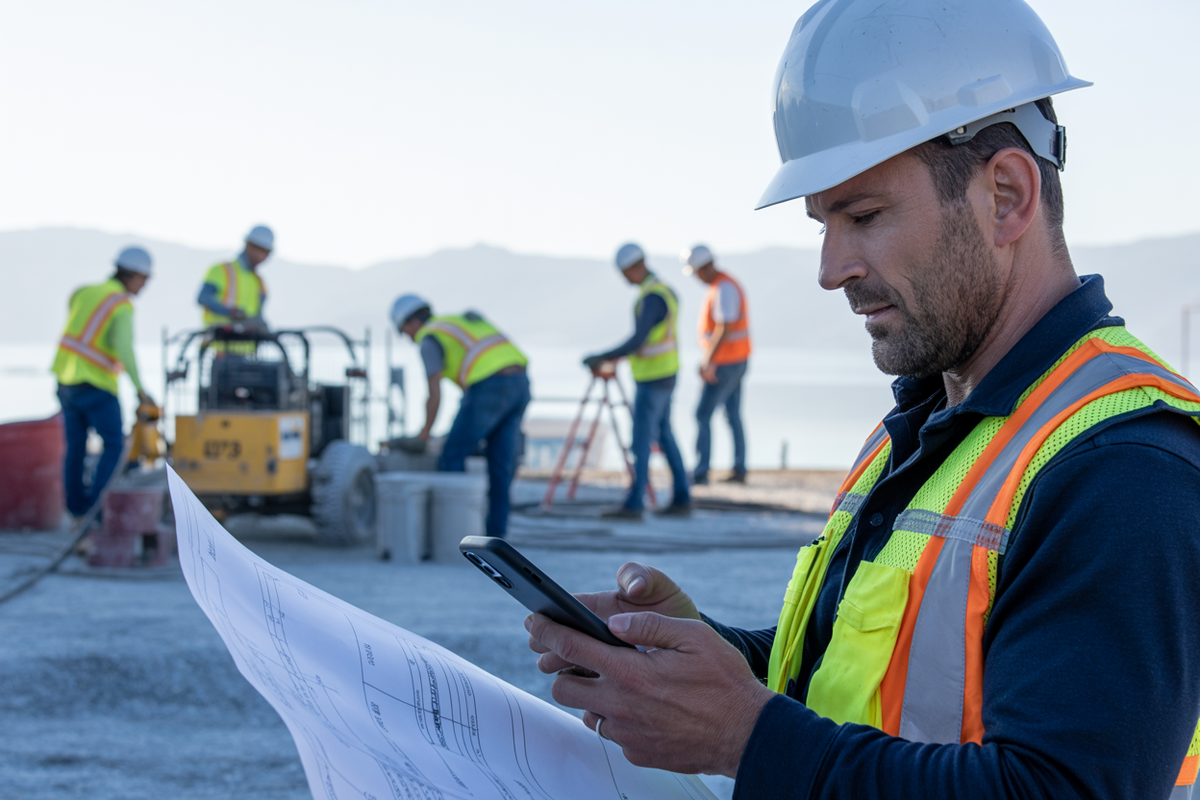
Labor is your biggest expense and the fastest way to lose control if you’re not paying attention.
If you don’t know exactly who’s on which job, doing what, and for how long, you’re guessing. And guessing is how schedules slip, overtime sneaks in, and job costs quietly blow up. By 2026, scheduling can’t live on whiteboards, group texts, or someone’s memory.
Good scheduling software gives you a real-time view of your crews. You can see who’s available, who’s stretched thin, and where gaps are forming before they turn into delays. Time tracking closes the loop by showing you what labor actually cost and not what you thought it would cost when you priced the job.
Most modern contractor systems now include scheduling and time tracking as part of the core workflow. The best ones work in the field, not just in the office, with mobile-friendly dispatching and updates crews can actually use on a jobsite.
At the end of the day, scheduling and time tracking aren’t about micromanaging your team. They’re about protecting your margins, keeping jobs moving, and knowing, all without guessing where your time and money are actually going.
The Modern Contractor - What’s Your Next Step
Construction isn’t getting simpler and that’s not changing anytime soon.
The contractors who stay profitable aren’t the ones working longer hours or juggling more jobs. They’re the ones who’ve built systems that keep projects organized, communication clear, and numbers honest. The tools in this toolkit aren’t about chasing tech trends. They’re about removing friction from how you run your business.
When your project management, estimating, scheduling, documentation, and financials actually work together, jobs move faster, mistakes drop, and decisions get easier. You spend less time reacting and more time in control.
The future of contracting isn’t about replacing experience, it’s about supporting it. With the right tools in place, you can build smarter, protect your margins, and run a business that holds up no matter how the industry shifts.
Frequently Asked Questions (FAQ)
What is the Modern Contractor Toolkit for 2026?
It’s the core set of business tools general contractors need to run jobs with more control and less friction. Instead of relying on spreadsheets, texts, and scattered apps, the idea is to build a connected stack that handles project management, estimating, accounting, communication, scheduling, and documentation in a cleaner way. The goal isn’t more software. It’s fewer gaps, fewer mistakes, and better visibility across the business.
Why do contractors need better systems now than they did a few years ago?
Because jobs are more complex, margins are tighter, and homeowners expect faster communication and more professionalism. What used to be manageable with memory, paper notes, and a couple of disconnected tools becomes risky once you’re juggling multiple jobs, crews, subs, and change orders. Better systems reduce rework, improve accountability, and make it easier to keep projects profitable.
What tool should contractors prioritize first if they can’t overhaul everything at once?
Usually the biggest wins come from tightening up project management, estimating, and financial tracking first. If jobs feel chaotic, project management software gives you immediate visibility. If bidding is slow or inconsistent, estimating software can save hours and protect margin. If you’re busy but not sure where the money is going, accounting and job costing should come next. The right first move depends on where your business feels the most friction today.
What makes modern estimating software different from older estimating tools?
Older tools mostly speed up calculations. Newer estimating platforms are moving toward decision-ready estimates. That means they can work from plans, photos, or walkthroughs, generate structured line items faster, and help turn estimates into cleaner homeowner-facing proposals. The real shift is that estimating is becoming less manual and less disconnected from the rest of the job workflow.
Is AI actually useful for contractors, or is it still mostly hype?
It’s useful when it removes repetitive work and improves decisions. For contractors, that usually means things like estimating faster, spotting schedule or budget issues earlier, standardizing documentation, and reducing manual admin. The value is not in flashy features. It’s in saving time, reducing missed details, and giving you better information before problems get expensive.
Do smaller residential contractors need the same tools as larger commercial contractors?
Not always. The categories are similar, but the depth changes. A small residential crew may need lightweight tools that are fast, simple, and mobile-friendly. A larger commercial operation may need deeper controls around RFIs, submittals, compliance, and forecasting. The key is choosing tools that match your actual workflow, not buying enterprise-level complexity you’ll never use.
How do communication and documentation tools really affect profitability?
They protect you from the expensive stuff: missed updates, wrong plan versions, undocumented field changes, and finger-pointing after the fact. When photos, markups, files, and conversations live in the right place, teams stay aligned and problems get caught earlier. That means less rework, fewer delays, and fewer costs you end up absorbing because nobody can prove what happened.
What does a strong contractor tech stack look like going into 2026?
A solid setup usually includes project management software, a CRM, accounting and job costing tools, estimating software, communication and photo documentation tools, file management, scheduling and time tracking, plus a basic lead generation and marketing system. The exact brands matter less than making sure the tools work together and support how your business actually runs day to day.
Ready to win more jobs with less manual work? Try Handoff free →