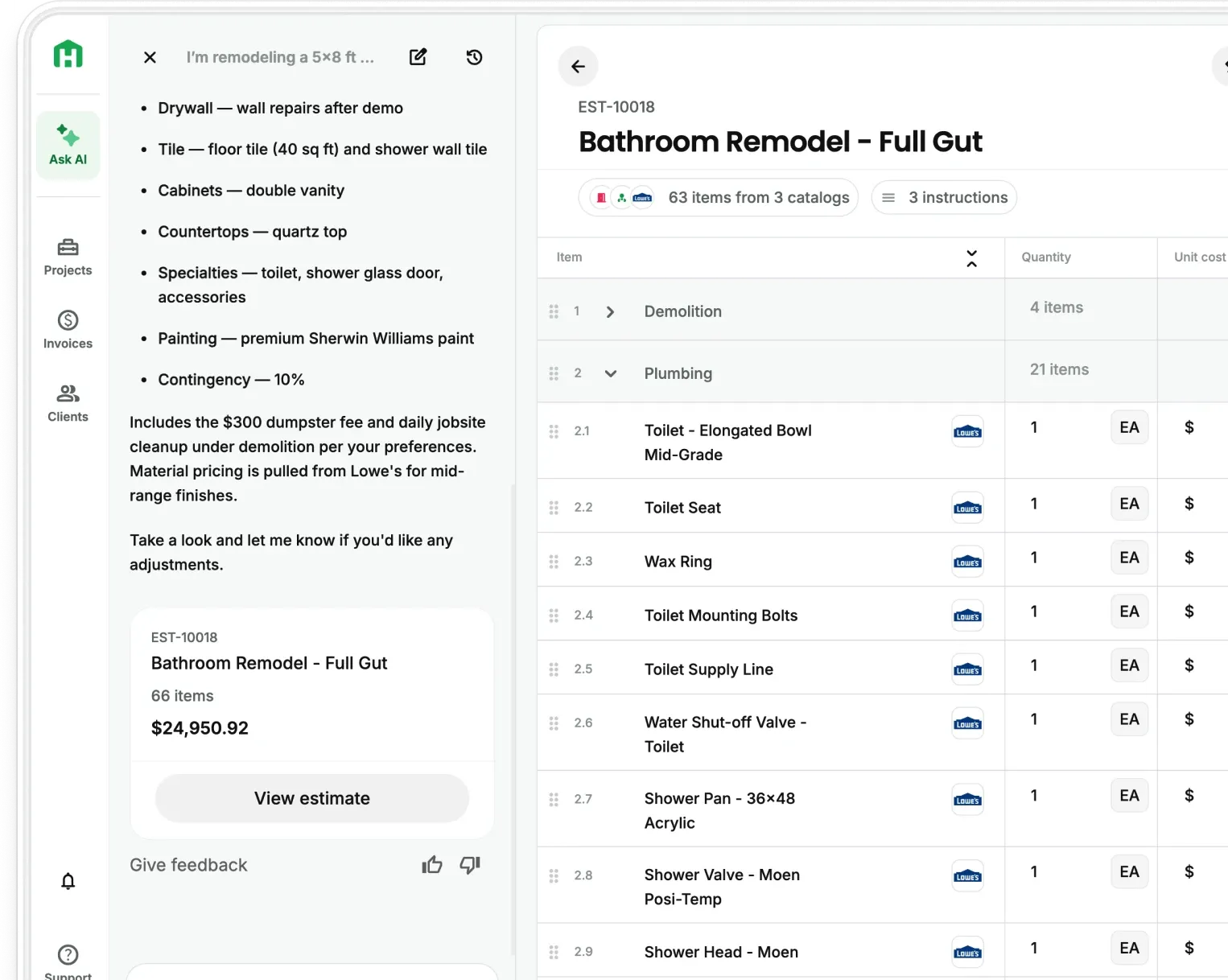
Contractors lose margin every time they finish a project and have to open QuickBooks to find out if there’s a profit. Handoff's new AI Job Costing feature fixes that. Your approved estimate becomes a live project budget, actual costs update as the job runs, and your AI Teammate flags where you're on track, at risk, or over budget while there's still time to do something about it. If you're on Pro, it's live in your app right now. If you're not, this is the financial visibility you're missing on every active job.
AI Job Costing vs. finding out at the end
Every contractor has a version of this: the job felt like it went well. The client was happy. Then the numbers came in and the margin wasn't there. Materials ran over. A sub cost more than estimated. A line item got missed. The estimate was right when you sent it. But what you actually spent was never tracked against it. Not while the project was active, not in a way you could use.
With AI Job Costing, that discovery happens during the work, not after. The estimate is the baseline. Costs track against it in real time. When something runs over, you see it while the project is still active and there's still something you can do.
QuickBooks is still your accounting system. Handoff is where you manage job costs while the project is running.
What does AI Job Costing show you?
One approved estimate produces a complete financial picture for the job.
- Budget — total from the approved estimate and any change orders
- Actual costs — every expense entered or uploaded, mapped or unmapped
- Variance — what's over or under budget, by section and by line item
- Remaining budget — what's left to spend before the job goes negative
- Billed gross profit — total invoiced minus total spent, updated in real time
Each number updates automatically as costs come in. You review, adjust if needed, and catch margin problems while there's still time to act.
AI Job Costing: How does it work?
Pro users can turn any approved estimate into a live project budget. Your AI Teammate tracks actual costs against the estimate as the project runs so you always know what you've spent, what's left, and where the margin risk is.
Here is how it works, step by step.
- Step 1 — Turn the approved estimate into a budget. Once an estimate is approved, Handoff uses it as the project's financial baseline. Budget by section, by line item, and total remaining are all there without rebuilding anything in a spreadsheet.
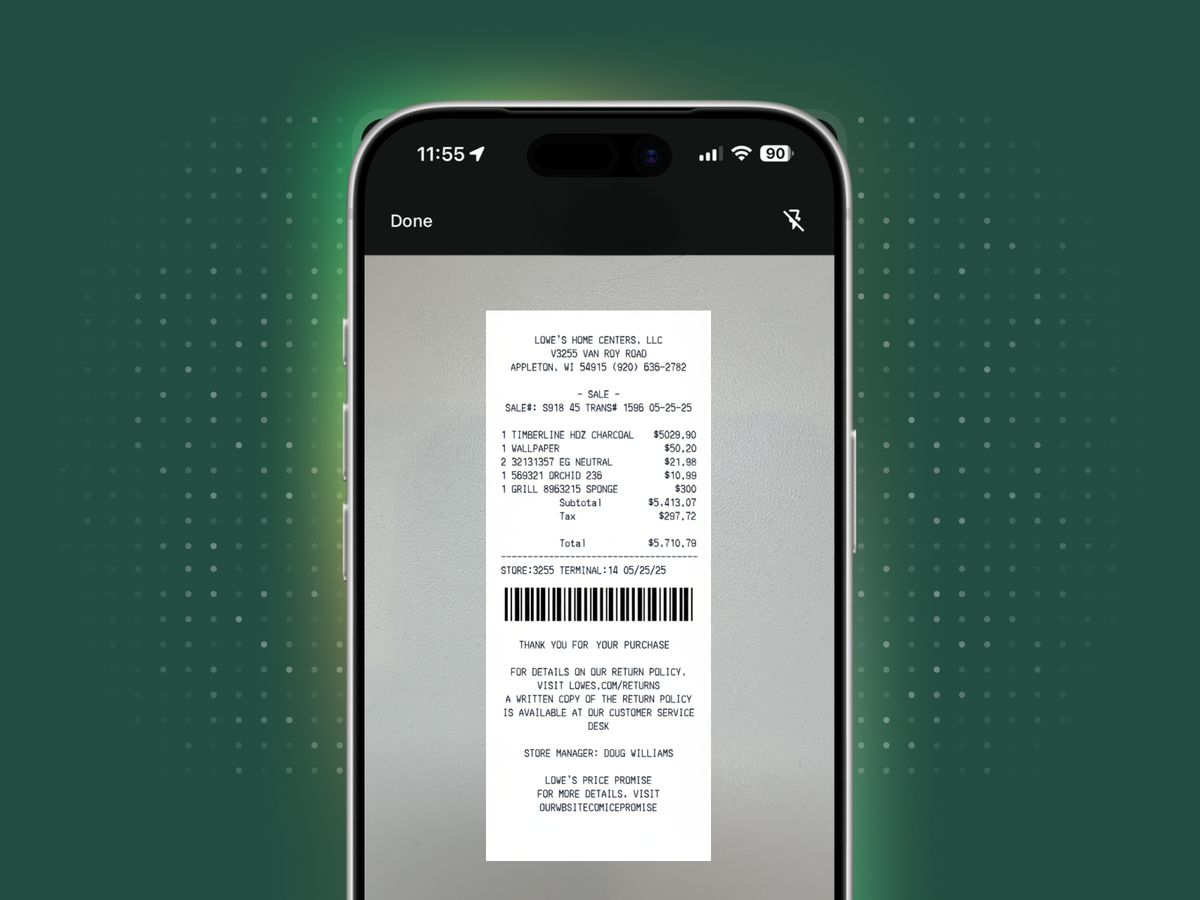
- Step 2 — Add actual costs as they happen. Enter expenses manually or upload a receipt. Your AI Teammate extracts the vendor, date, amount, and line items automatically.
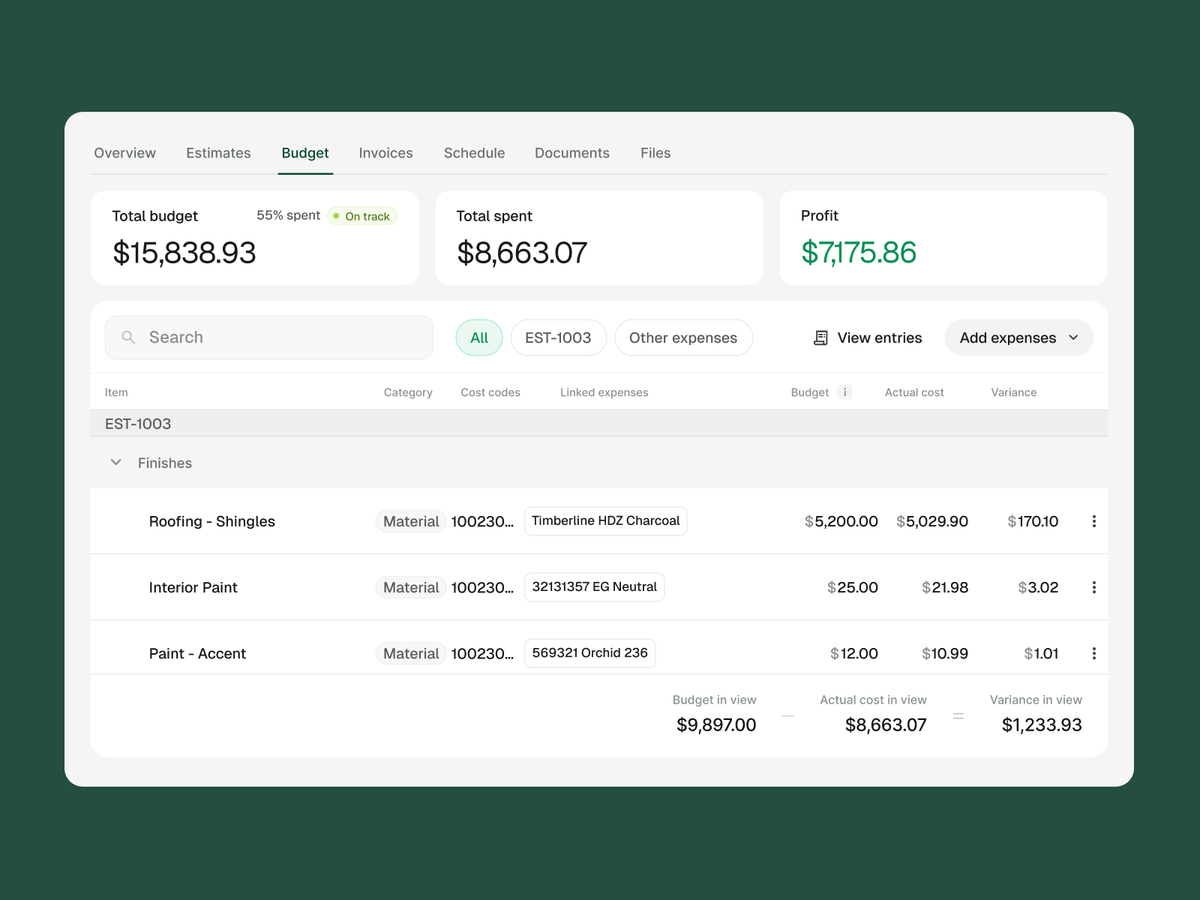
- Step 3 — Review Budget vs Actuals in real time. The Budget view shows what you estimated, what you've spent, what's left, and where you're over. Financial status — on track, at risk, or over budget — updates as costs come in.
- Step 4 — See the full project financial summary. Total estimated, total spent, remaining budget, total invoiced, and billed gross profit all in one place, updated in real time, available any time during the active project.
The result: a live, automated financial readout for every active project without waiting for your bookkeeper or rebuilding the numbers from scratch.
Try it today
Know whether a project is on budget before it's over. Upload a receipt, add an expense, and let your AI Teammate match costs back to the estimate — so the financial picture is always current, always accurate, and always connected.