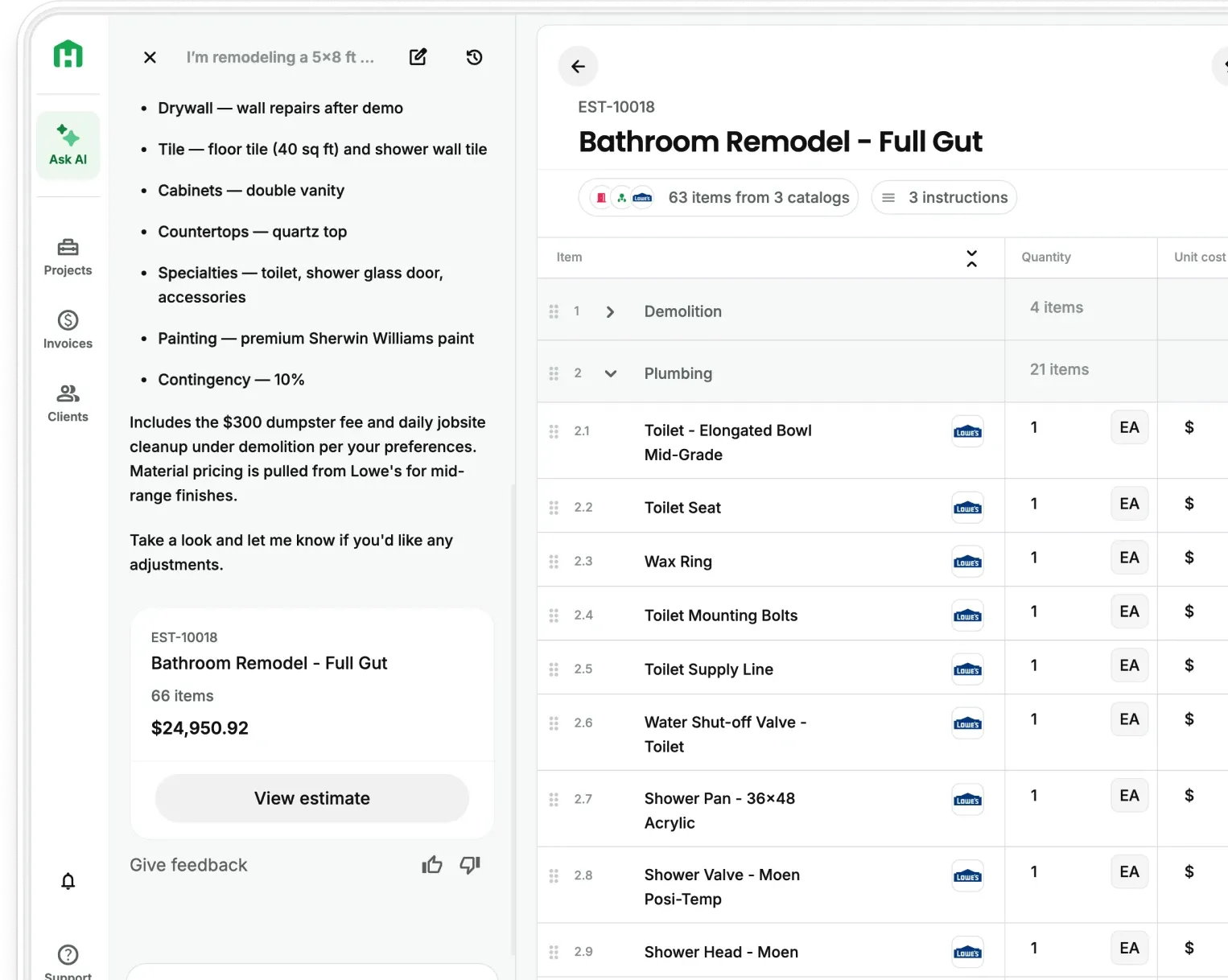
Most residential contractors are running a skilled trade and a full-time admin operation at the same time and only getting paid for one of them. The tasks that eat the most hours aren't the hard ones. They're the repetitive ones: rebuilding the same estimate, sending the same follow-up, chasing the same payment. Automating those tasks doesn't require a tech background. It requires a system. And most of it can be set up in a week.
Here are the first three steps to get you started. Steps 4 through 10 are in the full guide below.
The admin hours that are quietly running small remodeling businesses into the ground
For a small remodeling contractor with a two or three-person team, profit loss is in the two hours you spent rebuilding last month's bathroom estimate from scratch. It's the three follow-up texts you sent manually after a walkthrough because there's no system to do it for you. It's the invoice that sat in a notebook for four days before you had time to type it up.
Data to consider if you’d prefer your spreadsheets:
- FMI's 2023 Construction Labor Productivity study found that contractors lost between $30 billion and $40 billion in 2022 due to poor productivity — including time spent moving paperwork, waiting on approvals, and re-entering information that already existed somewhere else.
- Contractors still reliant on manual processes experience cost overruns of up to 30% and schedule delays of up to 40%, according to McKinsey's Construction Productivity Imperative — largely due to poor data flow and the absence of any digitization. That hits hardest on two-person teams where every hour has a direct cost.
The contractors pulling ahead aren't working longer hours. They've identified the five or six tasks they do every single week and built a system that handles them without thinking. That's what this guide covers.
What daily construction tasks can actually be automated
Not everything on your plate belongs in an automation system. The tasks worth automating share three traits: they're repetitive, predictable, and don't require a judgment call every time.
For a residential remodeler, that list typically includes:
- Estimating — building line-item proposals from a site visit, applying markup, formatting for the client
- Follow-up messages — checking in after a walkthrough, following up on a submitted proposal, asking for a review after job close
- Client communication — scheduling confirmations, scope update notifications, milestone check-ins
- Invoicing — generating invoices from approved estimates, sending payment reminders at defined intervals
- Daily logs — capturing what happened on site, who was there, what materials were used
- Scheduling — updating timelines when tasks shift, notifying subs of schedule changes
- Document management — storing contracts, permits, and photos tied to the right job
The goal isn't to automate everything. It's to identify the two or three tasks eating the most time each week and start there. Most contractors who do this find that estimating and follow-up account for more than half their admin hours.
Step 1 — Automate your estimates
Building every estimate from scratch is the single biggest time drain for most small remodelers. A University of Kansas study found AI-powered takeoff software to be 76% faster than traditional on-screen methods — and that's before accounting for the time saved on formatting, markup calculation, and proposal layout.
The automation approach that works for a two or three-person team:
- Build a base template for each of your three to five most common project types — bathroom, kitchen, addition, deck, flooring. Include standard materials with markup, labor hours from past jobs, permits, and contingency.
- Use a tool that pulls current regional material pricing into the template automatically — so you're not calling suppliers or guessing from memory
- Capture site visit notes by voice, photo, or a quick checklist on your phone, and let the tool build the line-item estimate from those inputs rather than rebuilding manually
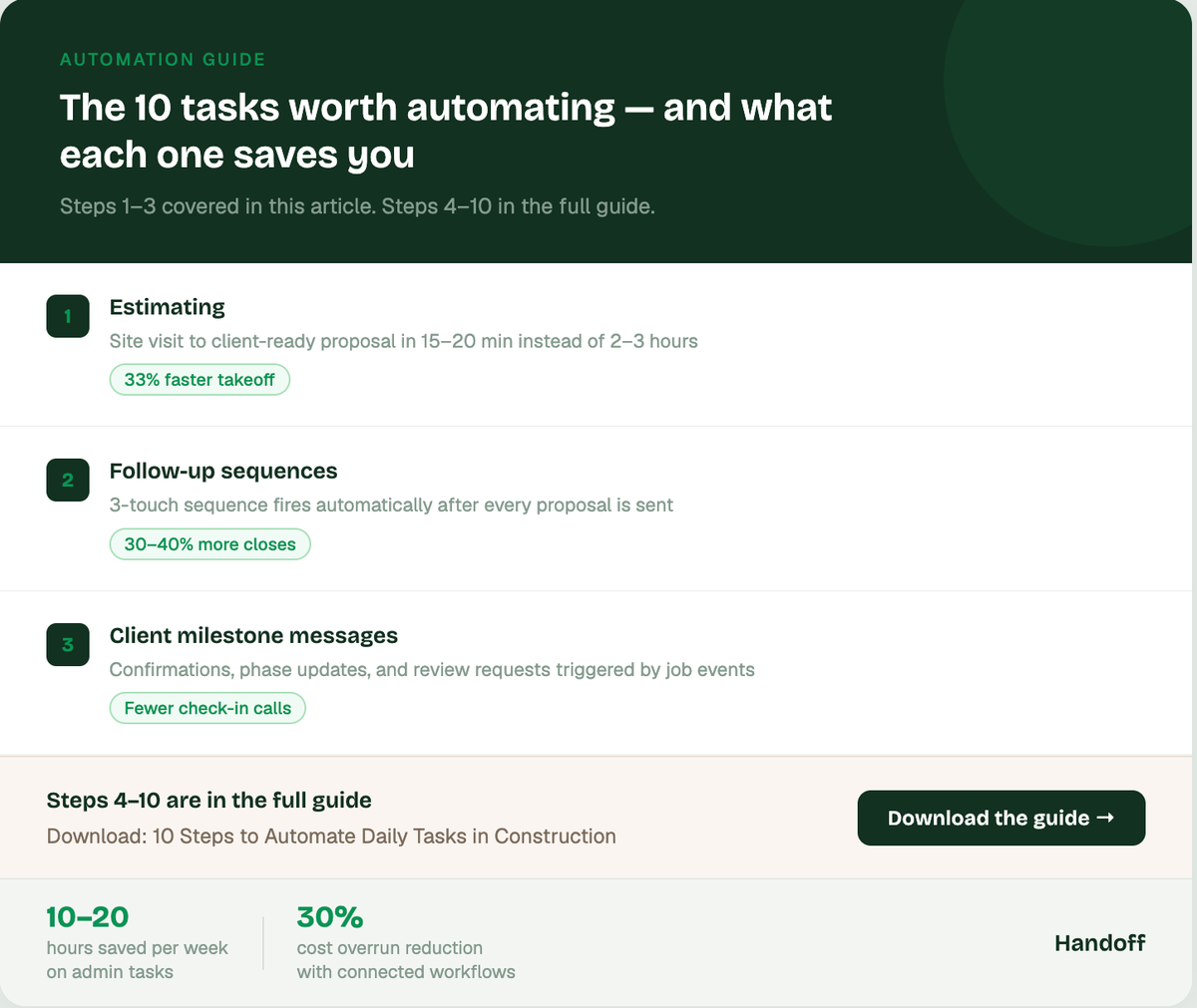
The result is a client-ready proposal that takes 15–20 minutes instead of two to three hours. Your AI Teammate then handles the build from whatever you capture on site.
Step 2 — Automate your follow-up sequence
Most contractors send a proposal and wait. Automating expense management saves construction companies 10–20 hours per week. The same logic applies to follow-up: when you build the sequence once and let the system run it, you stop losing jobs to silence.
The three-touch follow-up that closes 30–40% more proposals:
- Day 3 after sending: "Wanted to make sure the proposal came through. Happy to walk through any questions on a quick call."
- Day 7: "Checking in to see where you're at. Still happy to adjust scope if the budget needs some room."
- Day 14: One final short message, then move on.
Set these up once in your CRM or your AI Teammate and they fire automatically after every proposal is sent. You stop thinking about follow-up. It just happens. The contractors who run this sequence consistently close a meaningful share of jobs they would have otherwise assumed were lost.
Step 3 — Automate client communication at key milestones
The calls and texts that eat the most time mid-project aren't the important ones. They're the routine ones — "just confirming we're still on for Monday," "wanted to let you know the tile was delivered," "checking that the permit inspection is scheduled."
These messages are predictable. They happen on every job. Automating them at defined milestones removes the mental load entirely:
- Job start confirmation sent automatically when the contract is signed
- Milestone update triggered when a phase closes out — "demo is complete, rough-in starts Thursday"
- Permit and inspection reminders sent to the client at the right interval based on your typical timeline
- Review request sent automatically seven days after job close while the satisfaction is still fresh
Clients who receive consistent, proactive communication are less likely to call with questions, less likely to feel anxious about the project, and more likely to leave a review and refer you to their neighbors. The automation feels like you're organized.
Steps 4 through 10 are in the full guide
The first three steps handle the biggest time drains. The remaining seven — automating invoicing, daily logs, scheduling updates, document management, review requests, subcontractor coordination, and job costing — are covered in detail in the full 10-step guide.
FAQ
How much time can a residential contractor realistically save by automating admin tasks?
The honest answer depends on how manual your current process is. Automating expense and admin workflows saves construction companies 10–20 hours per week on average. For a small remodeling contractor, the biggest gains come from estimating and follow-up — two tasks that together typically consume 8–12 hours per week when done manually. Autodesk
Do you need special software to automate construction tasks?
No. The most impactful automations — estimate templates, follow-up sequences, and milestone messages — can be set up with tools you likely already have access to. A good starting point is any estimating platform that supports templates and a CRM with automated message sequences. For contractors who want everything in one place, Handoff connects estimating, proposals, follow-up, and client communication in a single workflow.
What's the best first task for a contractor to automate?
Estimating — specifically, building a reusable base template for your most common project type. It's the highest-time task, it's fully repeatable, and once it's done it pays off on every single bid. Most contractors who do this report getting that template to pay for itself within the first two or three jobs.
Ready to win more jobs with less manual work? Try Handoff free →