Here's a scenario most remodeling contractors know well. You win a job, do great work, and send the final invoice. The client comes back with questions. Why does this line item look different from the proposal? What's this charge for?
You spend 45 minutes digging through the spreadsheet you built three months ago, a few text threads about change orders, and a QuickBooks invoice that doesn't quite match either one. You get it sorted. You always do. But that's an hour you didn't bill for, on a job you already closed.
How multiple back office tools become one headache
When you're starting out, the setup makes sense. You write estimates in Excel because that's what you know. You invoice from QuickBooks because your accountant said to. Two tools, two jobs, clean separation.
The problem shows up when the job gets complicated.
- A homeowner asks for a tile upgrade
- You add demo that wasn't in the original scope
- A sub charges more than quoted because the schedule shifted
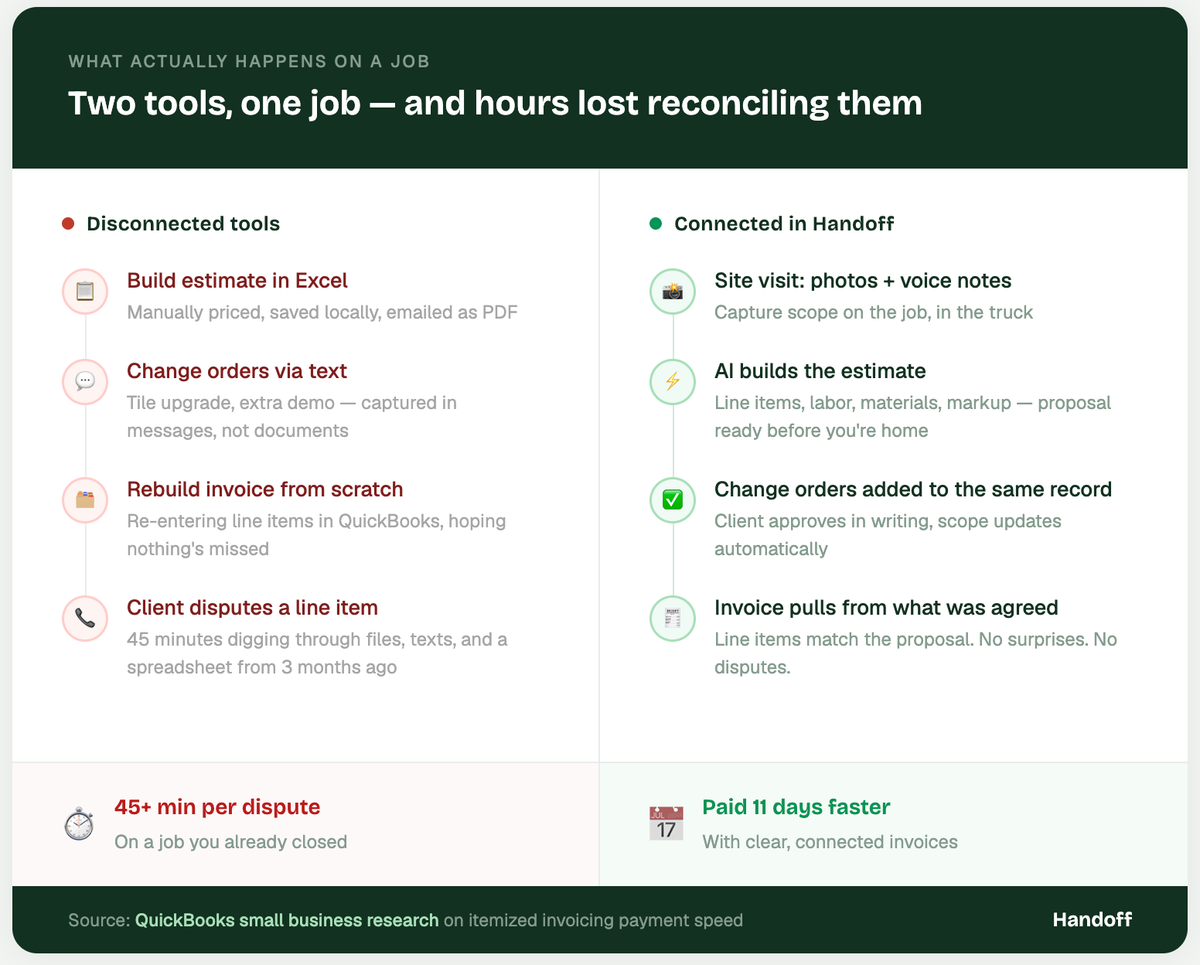
- Each of those changes lands somewhere — a text, a handwritten note, a revised spreadsheet you emailed but aren't sure the client actually saw.
By the time the job is done, you're reconciling four documents to build one invoice. And if the client questions a line item, you're explaining the whole job from memory.
NAHB research consistently finds that billing disputes rank among the top reasons residential remodeling projects result in contractor losses and most of those disputes trace back to documentation problems that started at the estimate stage, not the invoice stage. The estimate-to-invoice paper trail matters more than most contractors realize until it doesn't exist.
The fix is simpler than most contractors expect
The goal isn't to replace your accounting software or overhaul how you run jobs. The goal is to keep the estimate and the invoice connected to the same scope, so any change that happens on the job shows up in both documents automatically.
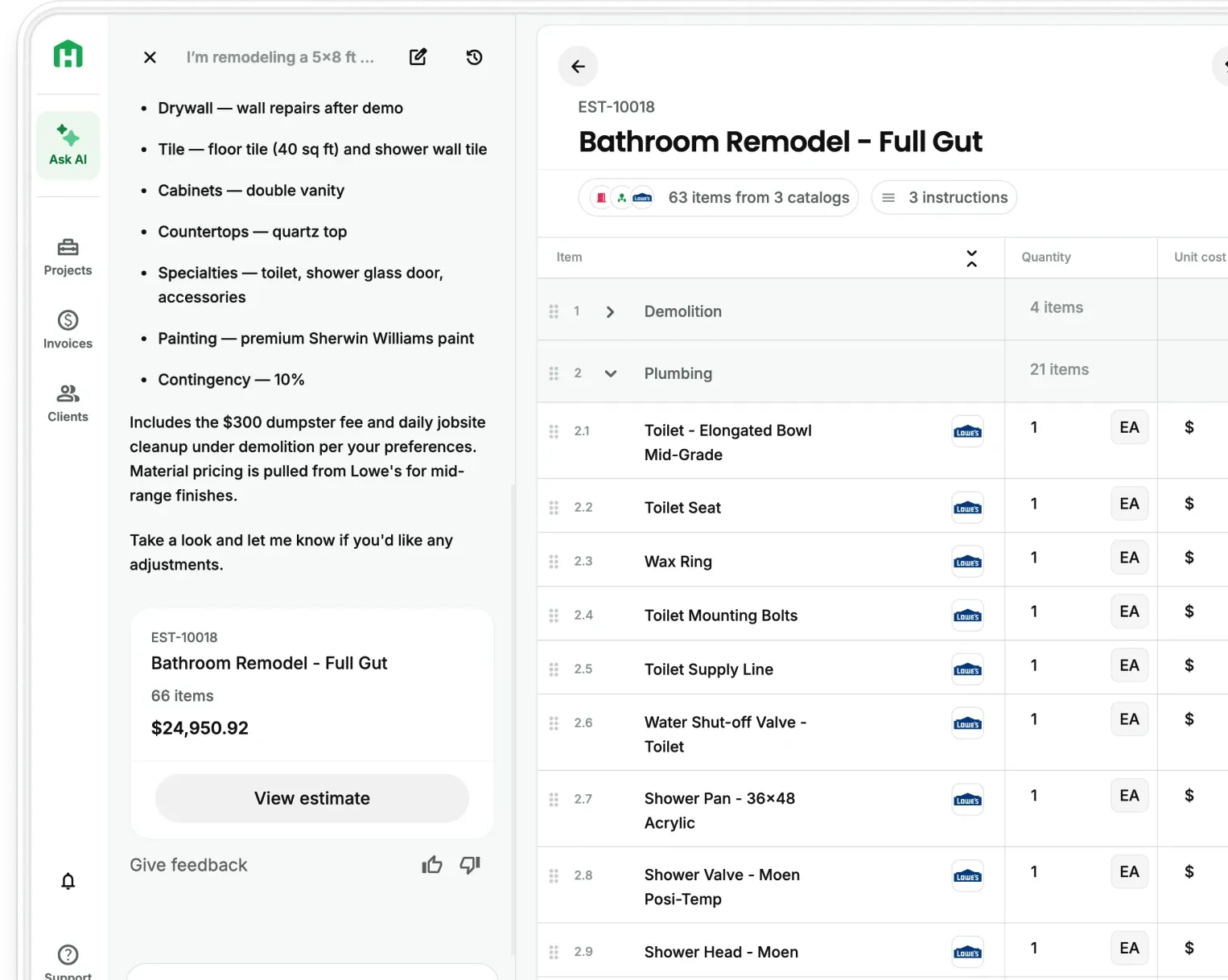
When that connection exists, the workflow changes completely. You do the site visit, take photos, make voice notes about what the client wants. Your AI Teammate builds the estimate from those inputs — line items, labor, materials, your markup — and you send a branded proposal before you're back home. When the client approves, that estimate becomes the job record. Change orders get added to it directly. When you're ready to invoice at demo complete, at rough-in, at the end of the job, the invoice pulls from what was actually agreed.
The client sees line items that match the proposal they signed, because they do. The 45-minute reconciliation conversation never happens.
Getting paid faster starts before the invoice
Even with a connected workflow, how you invoice matters. The contractors who get paid fastest tend to share a few habits.
- Invoice at milestones, not just at the end. A $45,000 kitchen remodel is a hard invoice to send and receive all at once. Breaking it into three or four milestone invoices keeps cash flowing throughout the job and gives the client natural checkpoints to review and approve.
- Reference the proposal in every invoice. A simple line — "This invoice reflects the scope approved in your proposal dated [date]" — removes ambiguity before it becomes a conversation. Clients who can connect what they're paying to what they agreed to don't push back. The ones who can't, do.
- Send within 24 hours of completing a stage. The longer you wait, the more the client has mentally moved on. An invoice sent the day demo is complete, while the work is fresh and the client is still engaged, gets processed faster than one sent a week later.
Contractors who invoice with clear, itemized detail get paid an average of 11 days faster, according to QuickBooks small business research. That's not a coincidence.
A note on which tools actually work together
A lot of platforms claim to handle both estimating and invoicing. Most do one well and the other adequately. Here's our honest take on what works for a two or three-person residential remodeling business.
- If you want everything in one place — estimates, proposals, change orders, and invoicing all connected to the same job record — Handoff is built for exactly that. The AI does the heavy lifting on scope, the proposal is client-ready in about 15 minutes, and every invoice that follows pulls from that same approved estimate. It's built to work from your phone, on the job site, in the truck.
- If you want to keep QuickBooks for your back-end accounting and upgrade your estimating separately, that works too. QuickBooks handles bookkeeping, taxes, and payroll. Handoff handles the front end — site visit to signed proposal. They pair well together when the estimate is already itemized before it hits your accounting software.
Cost variance is highest on jobs where estimates weren't updated to reflect field changes, according to RSMeans data from Gordian. The tools that keep estimates and invoices in one connected record consistently outperform the ones that don't.
Making the switch without disrupting active jobs
The hardest part of switching software isn't learning the new tool. It's the weight of changing a system that mostly works. Here's what we recommend.
Finish active jobs in your current system. Don't migrate halfway through a project — that's how things get lost. Start the new tool on your next new bid, not on something already underway. Set up your labor rates and markup before your first estimate — that's the one step that matters most before you generate anything real.
Then run one full job through the new workflow before you judge it. Site visit, estimate, proposal, change order, invoice. The most common estimating mistakes contractors make are almost always about process, not skill. A connected workflow eliminates most of them before they happen.
Most contractors who try Handoff send their first real estimate within an hour of signing up. The first time a client signs a proposal the same day you did the walkthrough, you'll understand why this matters.
Other FAQs about estimate and invoice gaps
Can I keep using QuickBooks if I switch my estimating tool?
Yes — and most small contractors do. QuickBooks is worth keeping for bookkeeping, taxes, and payroll. Pair it with Handoff (and many other app you use, now that we’re integrated with Zapier) for estimating and proposals and you get best-in-class at both ends without asking one platform to do everything.
How do you handle change orders so they don't cause invoice disputes later?
Document every change order before the work starts, get client approval in writing, and add it to the original estimate record. When the invoice is generated from that same estimate, the change order is already in it — the client sees a charge they already approved, not a surprise.
What's the fastest way to start getting paid on time?
Milestone invoicing and same-day turnaround after each stage. Research consistently shows that clarity and speed matter more than payment terms — a well-documented invoice sent promptly beats a vague one with a short due date every time.
Ready to win more jobs with less manual work? Try Handoff free →