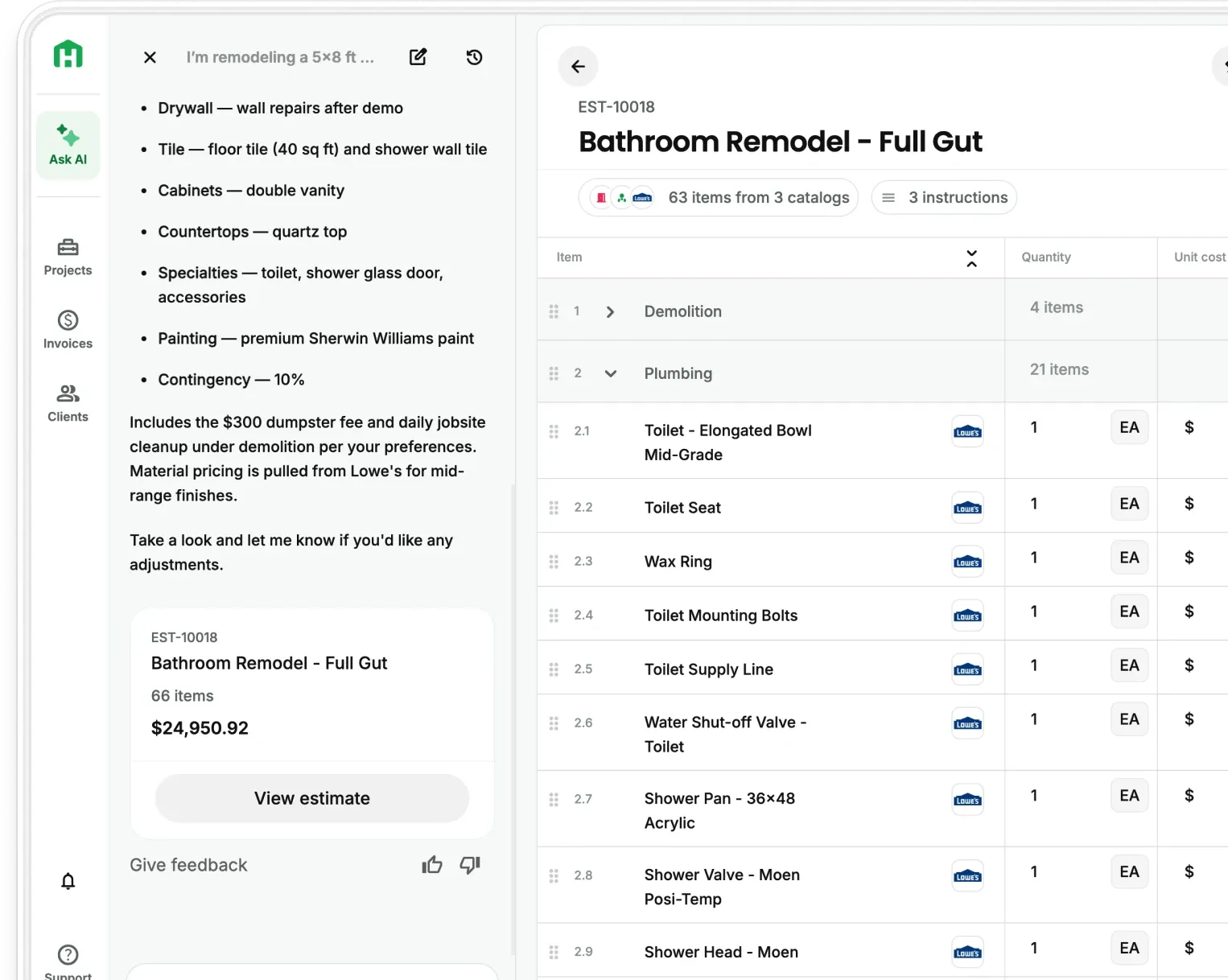
Most residential proposals answer one question well: how much will this cost?
They don't answer the question a homeowner is actually sitting with — what is this going to look like when it's done? That gap is where deals stall. A homeowner who can't visualize the finished result defaults to the safer decision, which is usually to wait, get another bid, or do nothing.
The proposal wasn't bad. It just didn't close the loop.
A rendering closes that loop. When a client sees a photorealistic image of their own space with the finishes they chose applied to it, they're experiencing the finished result before anything is built. That shift from abstract to concrete is one of the most reliable ways to move a proposal from "I'll think about it" to "when can you start."
What AI Rendering tools can do now
Until recently, producing a realistic rendering meant hiring a 3D modeling specialist and waiting days. The cost and turnaround made it impractical for most residential jobs.
Current AI rendering tools have changed that significantly. For residential contractors, they can now:
- Take a photo of the existing space and render it with proposed finishes applied
- Generate multiple design variations from a single material selection
- Produce client-ready visuals in minutes, not days
- Drop images directly into a proposal document
Handoff's AI Rendering tool generates visuals from the job details already in your estimate. Your AI Teammate handles the output without a design background and no specialist software required.
AI rendering vs hiring a designer for proposals
For a $200K custom addition, bringing in a designer to produce proposal visuals might pencil out. For a $30K kitchen remodel, it rarely does.
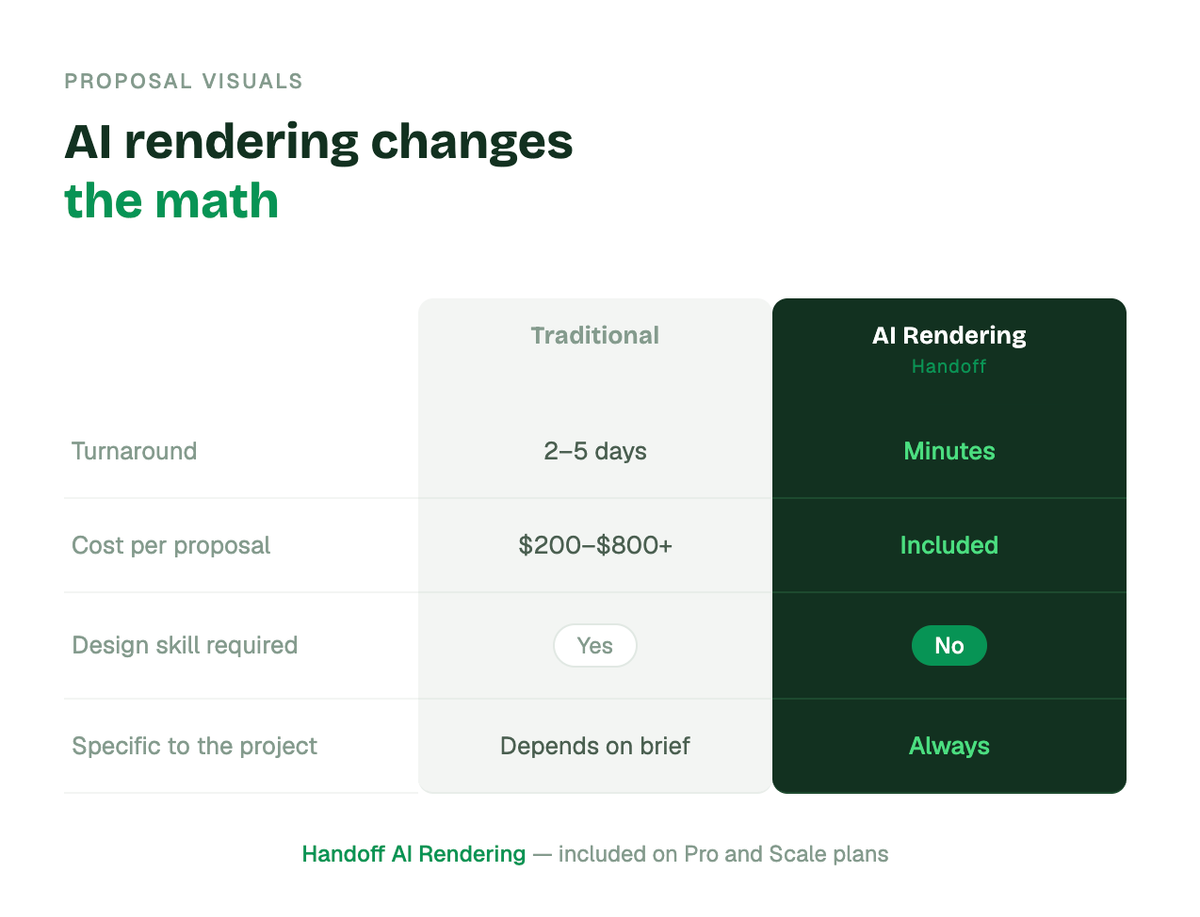
A specialist can produce more detailed work for complex projects. But for the average residential remodel, AI rendering produces visuals specific enough to the job and polished enough to move a client — at a fraction of the cost and time.
5 ways AI Rendering helps contractors win more proposals
1. It answers the question your proposal can't
Scope descriptions and line-item costs tell a homeowner what the job involves. They don't show them what they're getting. A rendering fills that gap. The client sees their actual space, their actual finishes, and what the finished result looks like before a single thing is built.
That specificity matters. Generic stock visuals from a design library don't move clients the same way. The rendering has to be about this job, this house, this homeowner. When it is, the emotional connection it creates is one of the most reliable closes in residential sales.
2. It shortens the decision cycle
Homeowners who can picture the outcome make faster decisions. When a client is waiting on a proposal, part of what they're doing is trying to imagine the finished result from a description… and failing. The longer that uncertainty sits, the more likely they are to get a second bid or do nothing.
A rendering removes the uncertainty. The client is now evaluating something they can see. That compression of the decision cycle shows up directly in how fast proposals get signed.
3. It supports a higher price point
A proposal with professional visuals signals a higher level of service before the work starts. Clients who receive a rendering alongside their estimate are already experiencing a more organized, more professional contractor. That perception supports a higher price point and makes scope conversations easier. The client can point to what they want rather than trying to describe it.
Some contractors have started charging a design or planning fee at the proposal stage, turning what used to be a cost into a revenue line. When a client pays for the proposal, they're more invested in moving forward with it.
4. It reduces scope disputes mid-project
A rendering is a reference point. When a client approved a visual of their finished kitchen, there's no ambiguity later about what cabinet style was agreed on or where the island was supposed to go. The image is the record.
Contractors who share renderings before work starts report fewer mid-project conversations about changes the client claims they didn't expect. The rendering sets the expectation clearly, which protects the scope and keeps change orders clean.
5. It's now fast enough to use on every proposal
The traditional barrier to renderings was time and cost. You were hiring a 3D specialist and waiting days for output made it impractical for most residential jobs. That barrier is gone.
Current rendering tools can take a photo of the existing space, apply proposed finishes, and produce a client-ready visual in minutes. Handoff's AI Rendering feature generates visuals directly from the job details already in your estimate. Your AI Teammate handles the output — no design background, no specialist software required.
What makes a rendering actually convert
Not all renderings close deals. The ones that do share a few traits.
They show the specific space being renovated — the homeowner should recognize their own room in the image, not a generic stock kitchen. They incorporate the materials the client actually selected during the walkthrough, not a placeholder finish. And they're presented alongside the estimate, so the client sees the vision and the investment at the same time.
Generic visuals from a design library don't have the same effect. The rendering has to be about this job, this house, this homeowner. That specificity is what creates the emotional connection that moves a proposal forward.
How contractors use AI Rendering to charge more
Close rate is the obvious benefit. But there's a pricing angle most contractors miss.
A proposal that includes a professional rendering signals a higher level of service before the work starts. Clients who receive a rendering alongside their estimate are already experiencing a more organized, more professional contractor. That perception supports a higher price point and makes scope conversations easier — the client can point to what they want rather than trying to describe it.
Some contractors have started charging a design or planning fee at the proposal stage, turning what used to be a cost center into a revenue line. When a client pays for the proposal, they're more invested in moving forward with it.
AI rendering as part of a full proposal workflow
Rendering is the most visible part of a stronger proposal process, but it works best when the rest of the workflow is moving too.
The contractors closing the most residential work combine rendering with:
- Automated follow-up — reminders sent to the client on a schedule set once, so no proposal goes cold because the follow-up never happened
- Open tracking — knowing the moment a client views the proposal, so follow-up lands at the right time
- Estimate-to-proposal conversion — the proposal generates from the estimate automatically, so the client gets a polished document the same day the numbers are done
Handoff includes all of these in one platform alongside AI rendering. The proposal goes out looking professional, the client gets a visual of the finished job, and the follow-up runs automatically until someone responds.
Other FAQs about AI Rendering and AI tools for contractors
Do I need design experience to use AI Rendering tools?
No. AI rendering tools built for contractors are designed around photos and material selections, not CAD skills. Your role is to capture the space and input what the client selected — the tool handles the visual output.
What types of projects benefit most from AI Rendering?
Kitchens and bathrooms see the strongest impact because clients have strong opinions about finishes and can rarely picture them from a description alone. Additions, exterior work, and deck projects also convert well — anything where the homeowner is making style and material decisions.
Can AI Renderings be used after the proposal is signed?
Yes. Some contractors use updated renderings during the project to confirm scope changes before proceeding, which reduces disputes and keeps change orders clean.