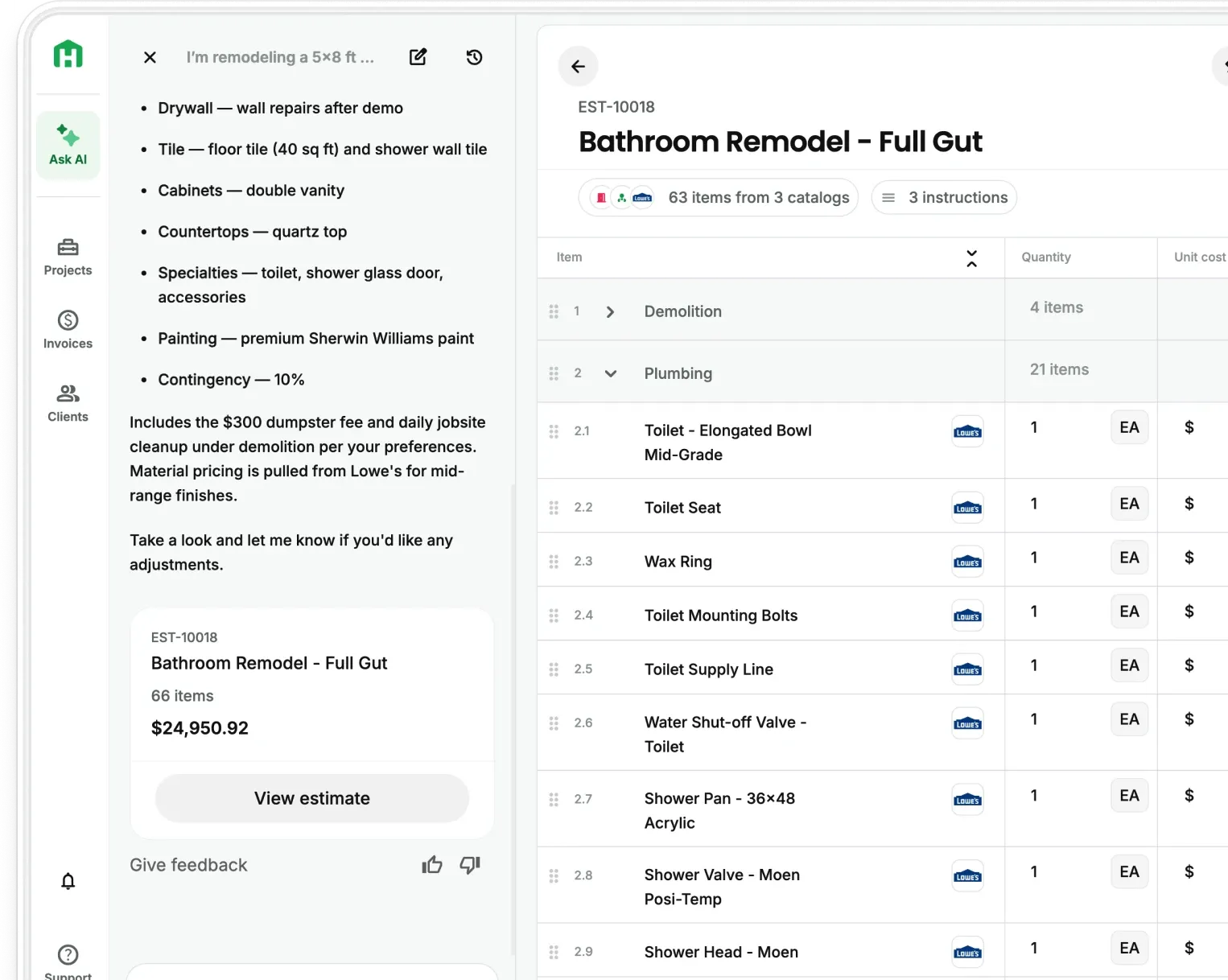
Ask any contractor to frame a wall and they’re set. Ask them to reconcile a month of receipts and the mood changes. Most bookkeeping ends up as a pile of receipts, a rough guess at where the money went, and a spreadsheet you keep meaning to fix.
QuickBooks caught on with contractors because it handles the parts a plain accounting tool cannot. Job costing, subcontractor payments, and stage billing are built into it. A general ledger treats a remodel like any other transaction. QuickBooks treats it like a job, tracking labor and materials against each project and giving you real numbers to work from.
Pair it with a tool built for the front of the job, and it gets stronger still.
Here is what QuickBooks does well for contractors, how to set it up, and how to close the gap it leaves at the front of the job.
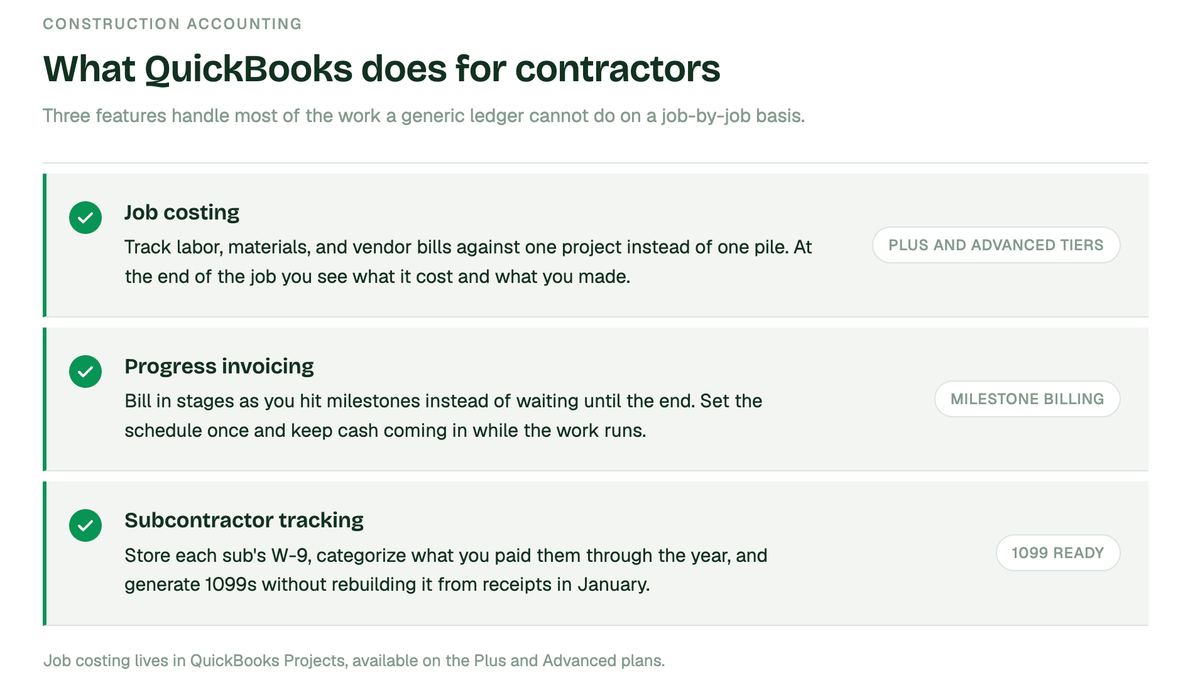
What does QuickBooks do for contractors? Here are the essential features
QuickBooks Online was built to handle the parts of construction accounting a generic ledger cannot. Three features do most of the work.
- Job costing. You track labor, materials, and vendor bills against a specific project instead of dumping them into one pile. At the end of the job you can see what it actually costs and what you actually made. This lives in QuickBooks Projects, which comes with the Plus and Advanced tiers.
- Progress invoicing. On a long job you bill in stages as you hit milestones, instead of waiting until the end to get paid. You set a schedule, invoice a percentage or specific line items at each phase, and keep cash coming in while the work runs.
- Subcontractor tracking. You store each sub's W-9, categorize what you paid them through the year, and generate 1099s at tax time without rebuilding it all from receipts in January.
Which QuickBooks plan contractors actually need
The job costing features only show up at certain tiers, which trips people up.
QuickBooks Online Plus
The floor for most contractors. It unlocks Projects, which is where job costing and project profit tracking live. If you are a small shop that needs to see profit by job, this is usually enough.
QuickBooks Online Advanced
Adds deeper reporting, custom dashboards, and higher limits. It fits larger operations running many jobs at once that need to slice profitability more ways.
QuickBooks Desktop Enterprise, Contractor Edition
Has the most powerful job costing of any QuickBooks product, including change order tracking and committed-cost reports. It is desktop software, so it fits established firms that want maximum financial control and do not need to work from the field.
Simpler versions like Solopreneur or basic Online do not include Projects, so they cannot do true job costing. Starting there and upgrading later is common, but if profit-by-job matters to you, start at Plus.
How to set up QuickBooks for residential construction
The setup that makes job costing work comes down to a few steps.
- Turn on Projects under your account settings so you can track income and costs per job.
- Set each project up as its own entity and tag every expense, bill, and hour to it, because untagged costs are the single most common reason job costing comes out wrong.
- Enable progress invoicing so you can bill from an estimate in stages.
- Connect your bank and card feeds so expenses flow in without manual entry.
Done right, you get a Profit and Loss by Job report that shows where every dollar went. But that report has a dependency most setup guides skip past, and it is worth saying plainly.
The gap: your job costing is only as good as your estimate
Every QuickBooks job costing report compares two things: what the job cost, and what you estimated it would cost. QuickBooks tracks the first number automatically. The second number, the estimate, you still build by hand.
QuickBooks does not price your work. It takes whatever estimate you type in and measures reality against it. So if your estimate missed a material, guessed at a labor rate, or used last year's lumber price, your variance report is not showing you a job that went sideways. It is showing you an estimate that was wrong from the start.
This is why so many contractors look at a QuickBooks profit report and feel like the numbers do not match what they saw in the field. The report is doing its job. The estimate feeding it was the guess.
Buildertrend and similar tools sync estimates into QuickBooks, which removes the double entry. That helps. But a synced estimate that was built by guessing quantities and pricing off memory is still a guess. It just arrives in QuickBooks faster. Moving a bad number automatically does not make it a good number.
How Handoff fixes the number before it reaches QuickBooks
Handoff sits at the front of the job, where the estimate is made, and feeds QuickBooks a number that is actually grounded. Or you can use our native AI Budget Tracking tool which does the same thing.
You describe the scope, upload a photo, or drop in a plan set. Handoff builds a complete, itemized estimate with every material priced against real supplier data for your ZIP code, not a national average and not your memory of what things cost last spring. Labor is priced to your market too.
Then it syncs to QuickBooks Online. Your estimates, invoices, and payments move between the two systems bi-directionally, so you are not entering anything twice.
The difference is not the sync. Buildertrend has a sync. The difference is what moves through it. When the estimate that lands in QuickBooks was priced against live supplier costs instead of assembled from guesswork, your job costing report finally compares reality against an accurate baseline. The variance you see is a real variance, something that actually happened on the job, not an artifact of a bad starting number.
That is the whole chain: an accurate estimate feeds an honest budget, which produces a job costing report you can trust enough to bid the next job differently.
QuickBooks and Handoff compared side by side
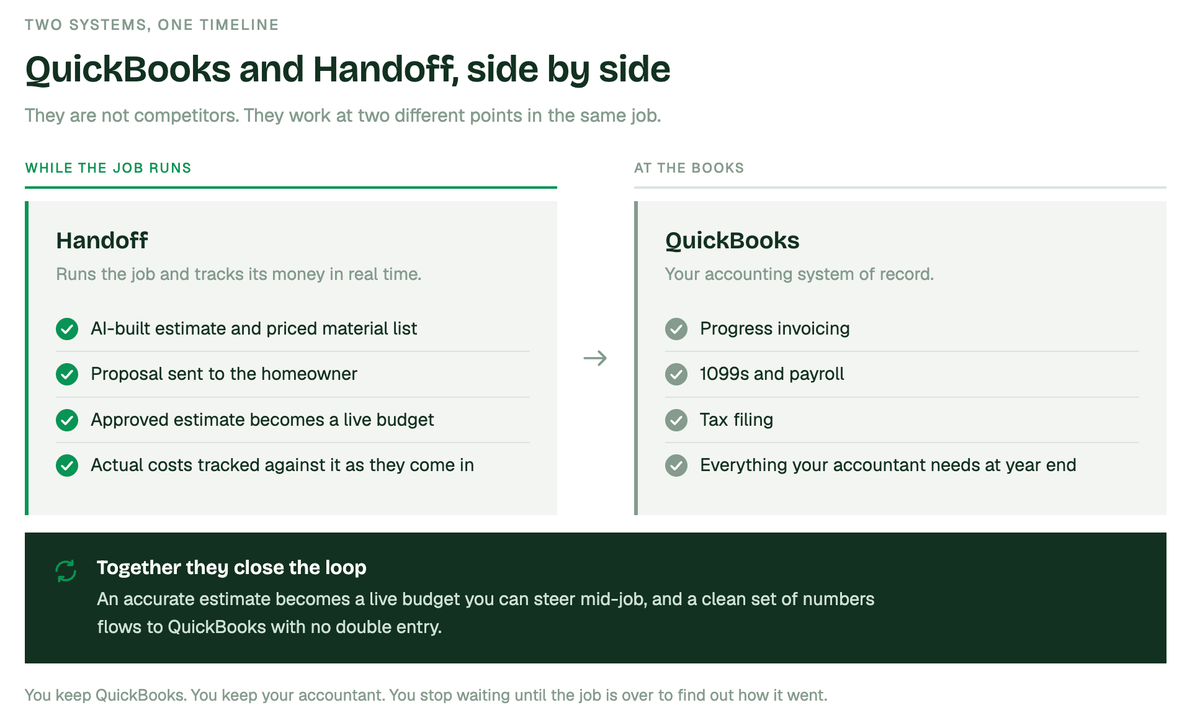
QuickBooks is your accounting system of record. Handoff runs the job and tracks its money in real time. They are not competitors, they work at two different points in the same timeline.
- Handoff handles the job as it happens. The AI-built estimate, the priced material list, the proposal, and once that estimate is approved, a live budget. Your AI Teammate tracks actual costs against it in real time, so you see where a job stands before it is finished, not after.
- QuickBooks handles the books. Progress invoicing, 1099s, payroll, tax filing, and everything your accountant needs at year end.
- Together they close the loop. An accurate estimate becomes a live budget you can steer mid-job, and a clean set of numbers flows to QuickBooks with no double entry.
You keep QuickBooks. You keep your accountant. You just stop waiting until the job is over to find out how it went, and you stop feeding both systems a number you had to guess at.
Stop feeding QuickBooks a guess
QuickBooks will tell you whether a job made money. It just cannot promise the estimate it measured against was right. That part is on you, and by hand it is where the errors start.
- Start a free trial at https://app.handoff.ai/sign-up/
- Build an estimate on a job you have already done, priced to your ZIP code
- Compare it against what that job actually cost you
- Connect QuickBooks Online so estimates, invoices, and payments sync both ways
QuickBooks is a strong accounting system. Give it an accurate number to work with and it gets a lot stronger.
Other FAQs about using QuickBooks for residential construction companies
Does Handoff replace QuickBooks?
No. QuickBooks stays your accounting system and your accountant keeps working the way they do. Handoff builds and prices the estimate, runs the project, and syncs the financial pieces to QuickBooks so you are not entering them twice.
What syncs between Handoff and QuickBooks?
Estimates, invoices, and payments sync bi-directionally with QuickBooks Online, so a change in one shows up in the other without manual re-entry.
Why not just build estimates in QuickBooks?
You can, but QuickBooks does not price the work for you. You supply every quantity and rate yourself, which is the manual step where estimates go wrong. Handoff prices the estimate against live supplier data for your area first, then sends that number to QuickBooks.
Do I need a specific QuickBooks plan?
For true job costing you need QuickBooks Online Plus or higher, since that is where Projects lives. The Handoff sync works with QuickBooks Online.