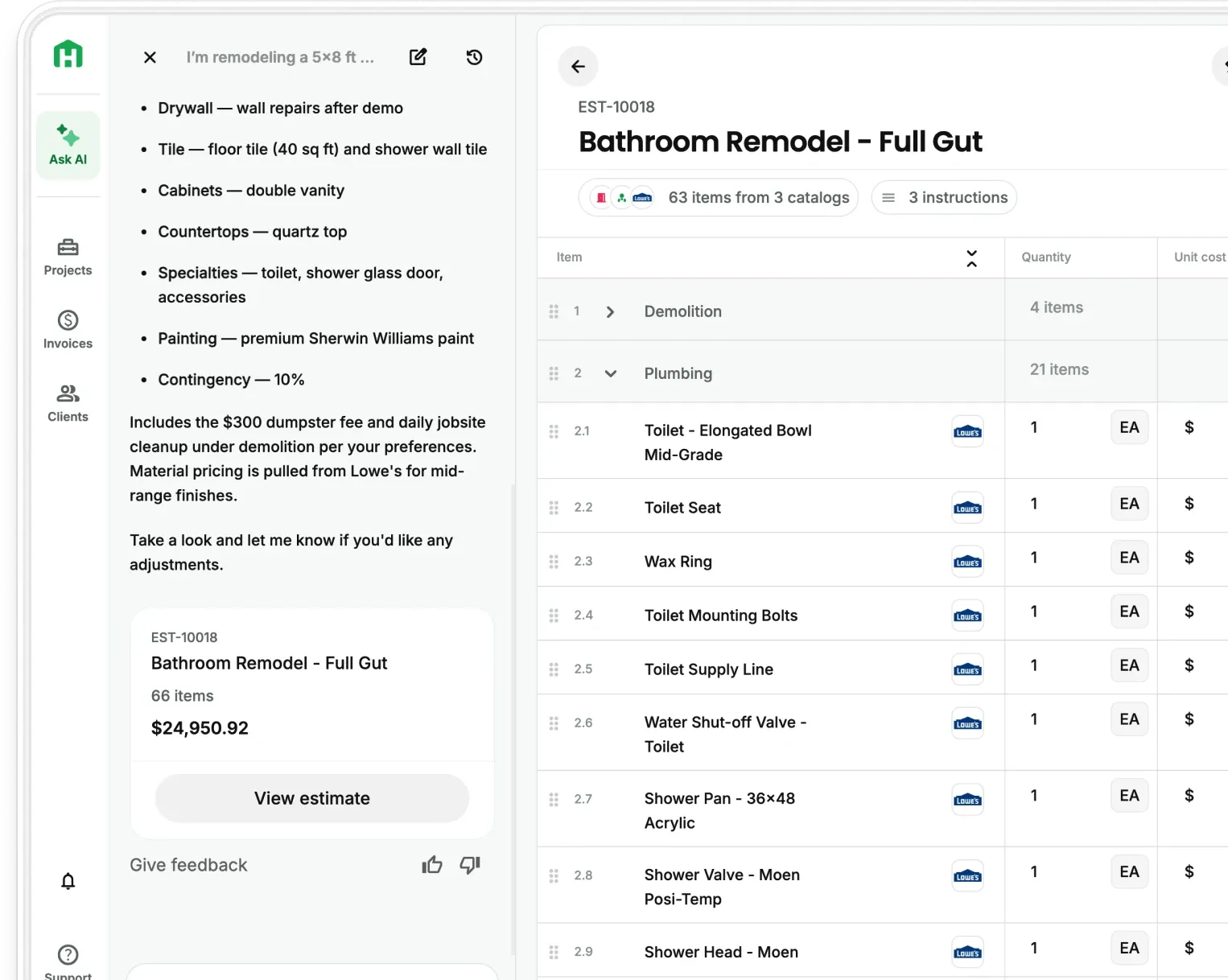
Your AI Teammate drafts the proposal from the project details already in Handoff. From there, customize the sections and branding and present up to 5 estimate options in one link, with a place for clients to leave feedback before they make a decision.
Presenting a single price costs both you and the client
A proposal with one number caps the job at whatever you decided to include. The client who would have paid for the better tile, the extra can lights, or the deck you talked about on the walkthrough never gets asked, because the proposal did not give them anywhere to say yes to more.
And sometimes the answer isn’t yes or no. Without a way to respond inside the proposal, client questions can turn into another follow-up you have to chase down.
Now you can turn the same Handoff estimate into a proposal built around how you want to sell the project and how your client wants to buy it.
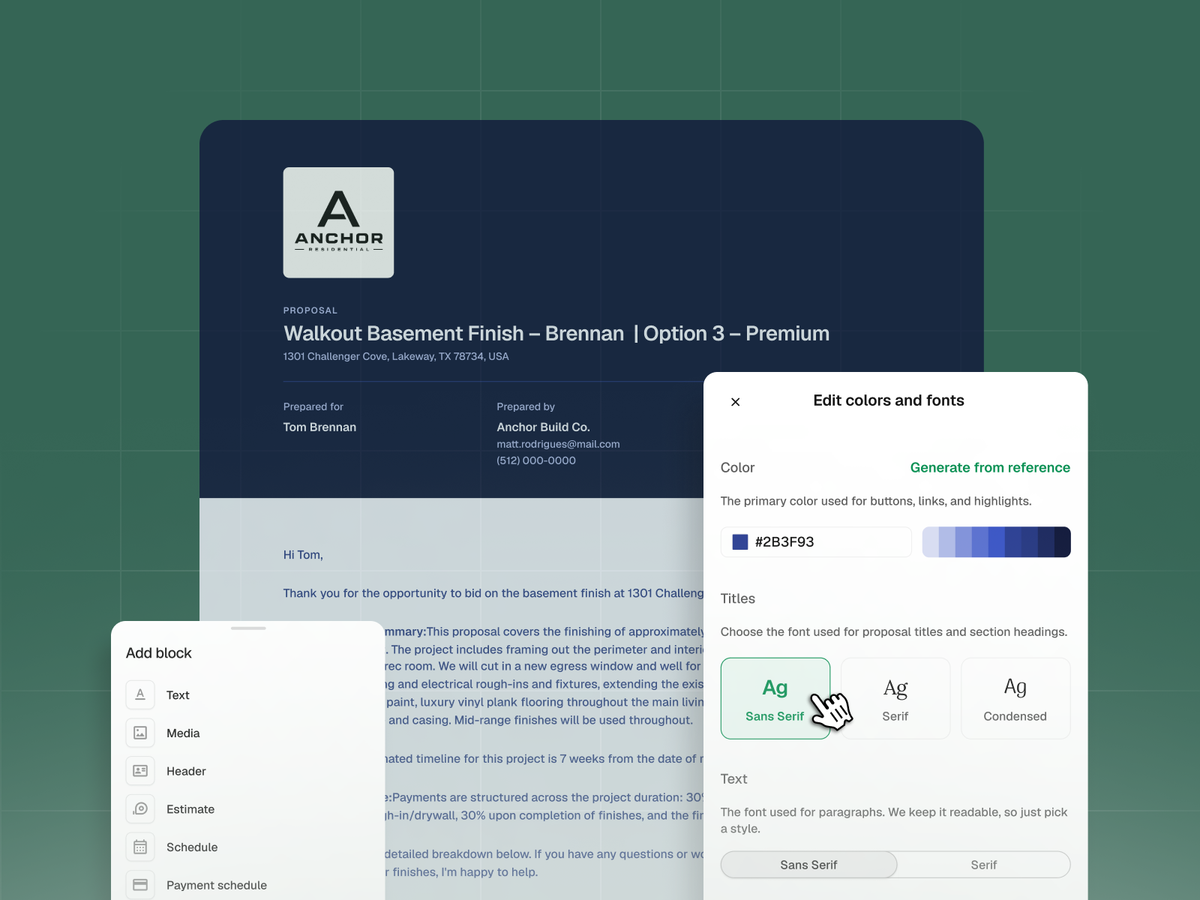
More ways to customize your AI Proposals
Everything AI Proposals already does is still there. On Scale, you now have more control over what goes into the proposal and the choices your client sees.
- Up to 5 estimate options. Present a base scope, an upgrade, and a premium package, or a recommended scope with alternates. Each option is backed by real estimate data, so the prices hold up when the client asks what changed.
- A draft, not a blank builder. Your AI Teammate drafts the narrative sections from the estimate and project details you already entered, and suggests which sections the proposal needs. You review and edit everything before it sends.
- More control over your sections. Build the proposal around what the job needs, from the project overview and scope to pricing, timelines, photos, terms, and approval.
- Your brand built into the proposal. Start from a template and let your AI Teammate pull brand colors from your logo or company website, so the proposal looks like your business without setting everything up yourself.
- Client feedback before a decision. Clients can comment without being forced to accept or reject. You review the feedback in one place and decide whether to revise, follow up, or move toward approval.
- More accurate view data. Your own previews no longer count as client views, so when Handoff shows that the client opened the proposal, you know it came from them.
Change the conversation from “yes or no” to “which option?”
Contractors who present tiers are running a different sales conversation than contractors who send one number.
One price. The client compares your total against two other totals. The only lever either of you has is price, and the only way you move is down.
Three options. The client compares your base scope against your upgrade and your premium package. Now part of the decision becomes which version of the project works for them, instead of only whether your one number beats somebody else’s. The comparison happens inside your proposal, not across competing bids.
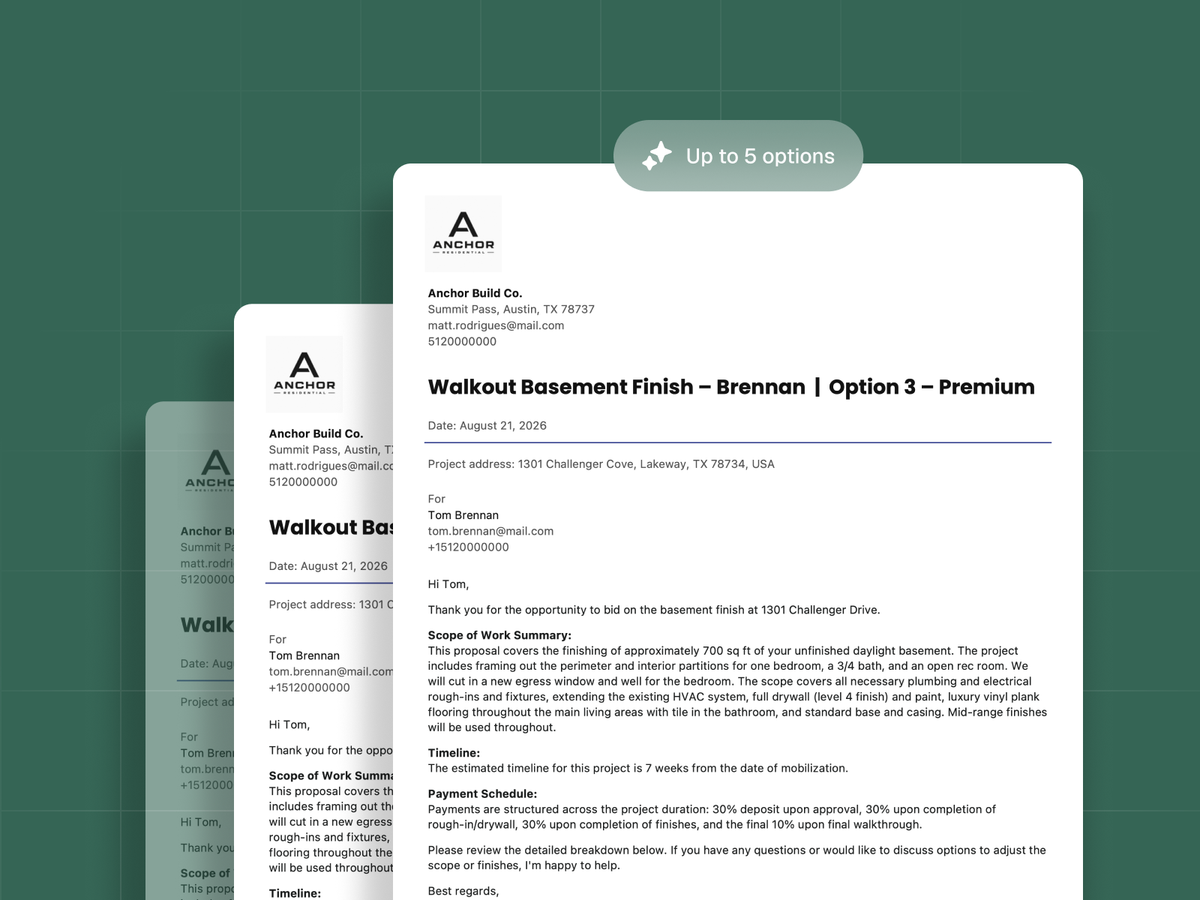
How to customize your first AI Proposal
- Open an estimate you are ready to send and select Create proposal.
- Review the sections your AI Teammate suggests and adjust them to match the job.
- Choose your template and apply your brand colors.
- Add up to 5 estimate options if the client is choosing between scopes.
- Preview the client-facing proposal, then Share link.
You can customize AI Proposals built from any Handoff estimate, including estimates created from AI Takeoffs.
Give your next client more ways to say yes. Customize your AI Proposals with Handoff Scale
Other FAQs about customizing AI Proposals
Does my client need a Handoff account to open the proposal?
No. You share a client-facing link and the client opens it in a browser. There is no login and no client portal to set up on their end, which matters when the homeowner is reading it on their phone in the driveway. Your own previews are tracked separately from real client views, so the open data stays accurate.
Do I have to present multiple options in every proposal?
No. You can customize an AI Proposal with a single scope and never use estimate options. Options are there for jobs where the client has a real decision to make, usually a remodel, an addition, or a custom build. When you do use them, you can present up to 5 in one proposal.
Can I update a proposal after the client has already opened it?
Yes. If the client leaves feedback or asks for a change, you can revise the proposal and share it again. When the client approves, Handoff records which version they approved and which option they selected, so you always know what the accepted scope and total were.