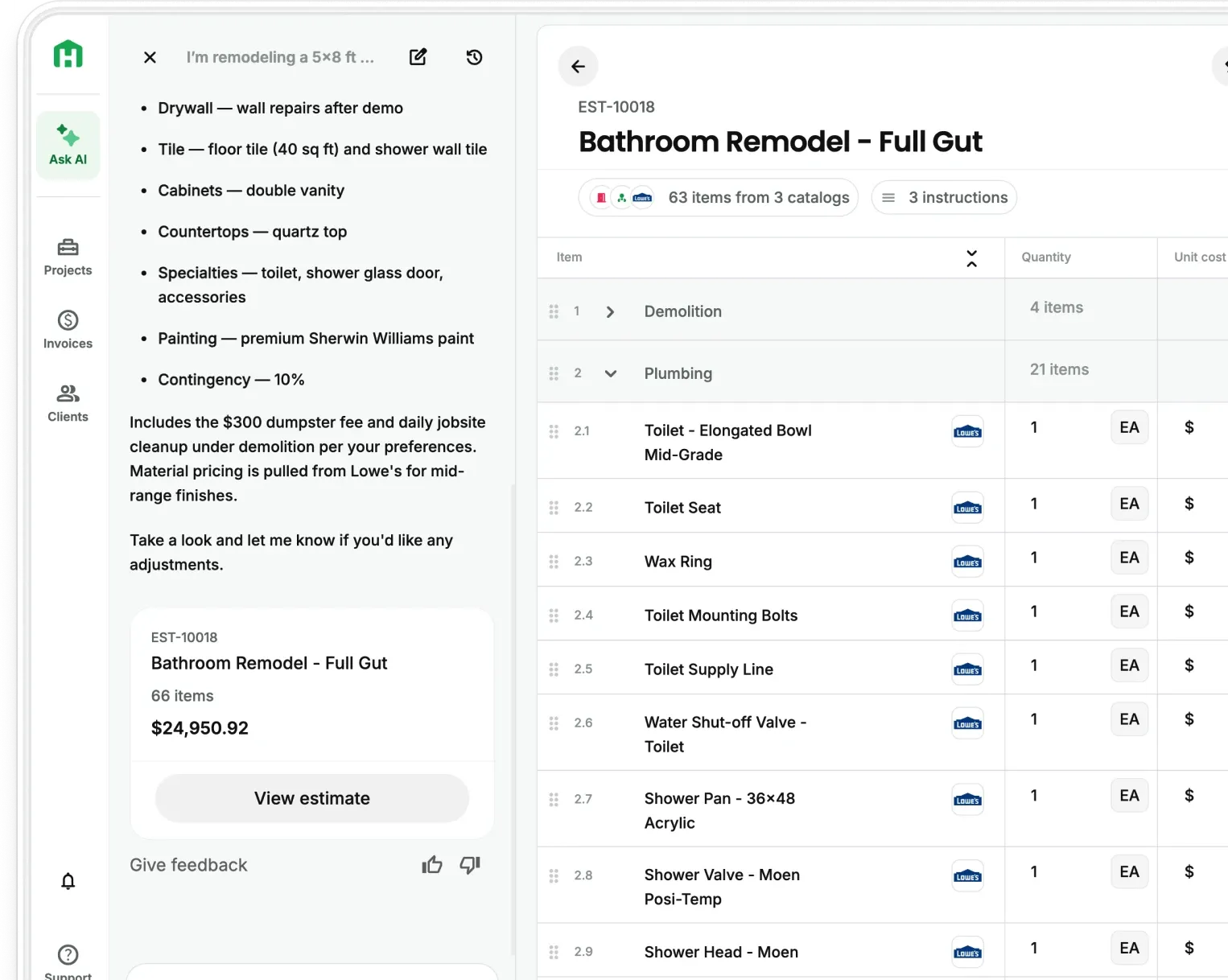
Add-ons and delays are where most new-builds and remodeling jobs lose margin. Not because contractors don't know how to handle them — but because there's no system in place when they happen. A tile upgrade gets approved over text. A permit delay pushes the schedule two weeks. A sub charges more because the job ran long. Each one feels manageable in the moment. By the end of the job, the estimate you built three months ago looks nothing like the work you actually did.
The contractors who protect their margin on every job have two things in common: they document add-ons the moment they're requested, and they automate the estimate updates so nothing falls through the cracks.
How to document add-ons before they become disputes
NAHB research consistently shows that billing disputes on residential remodeling projects trace back to documentation failures at the estimate stage — not the invoice stage. By the time the invoice goes out, the damage is already done.
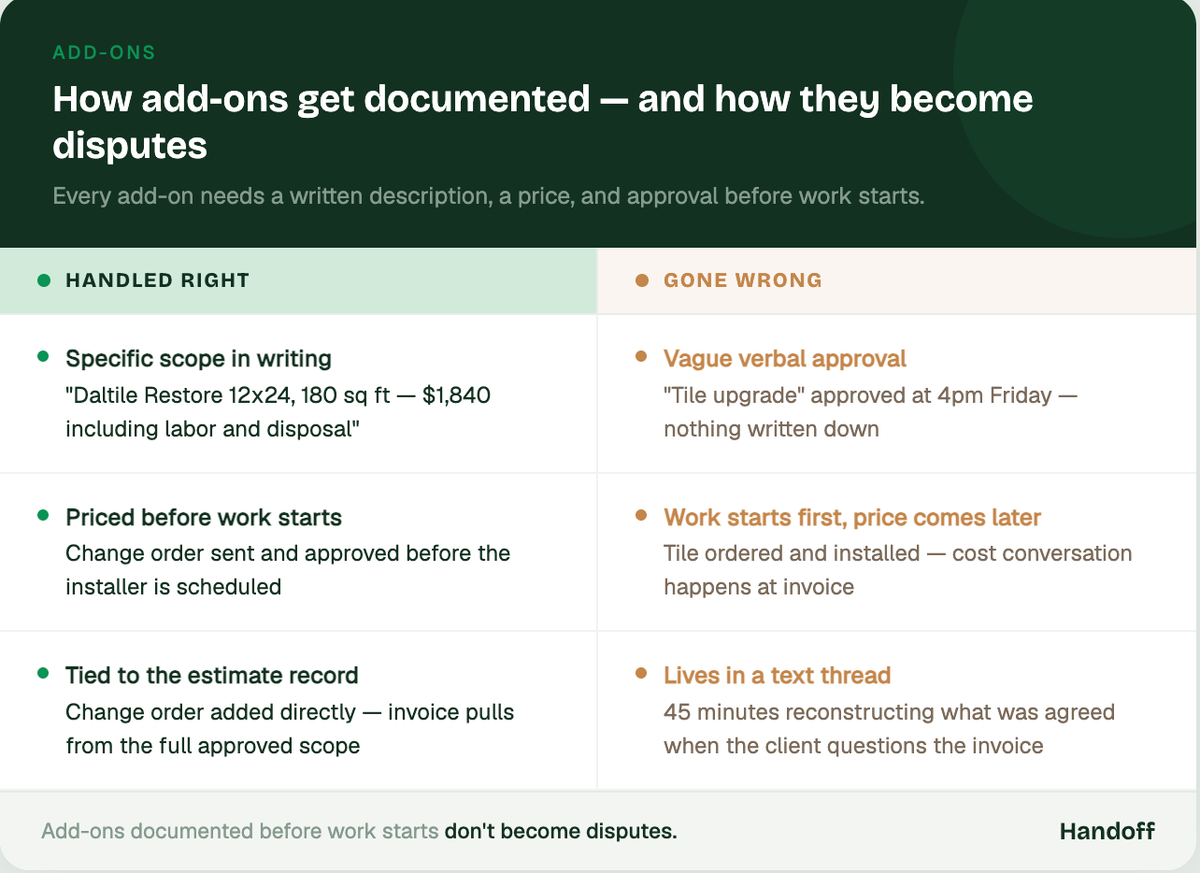
Every add-on — no matter how small — needs three things: a written description, a price, and a client signature before work begins.
- Describe the scope change specifically. "Tile upgrade from builder grade to Daltile Restore 12x24, 180 sq ft" is a change order. "Tile upgrade" is a conversation that will go sideways later.
- Price it before you agree to it. Add-ons requested on the fly feel small until you add up labor, materials, and disposal. Price it on the spot or tell the client you'll have a number by end of day — don't start the work first.
- Get approval in writing. A text confirmation works. A signed change order in Handoff is better. What doesn’t work is a verbal yes you’re reconstructing from memory when the client questions the invoice six weeks later.
Add-ons that are documented before the work starts don't become disputes. The ones approved verbally at 4pm on a Friday almost always do.
Your AI Teammate builds change orders directly from the original estimate — so the line items stay connected and every invoice that follows reflects what was actually agreed.
How to handle delays without losing the job or the client
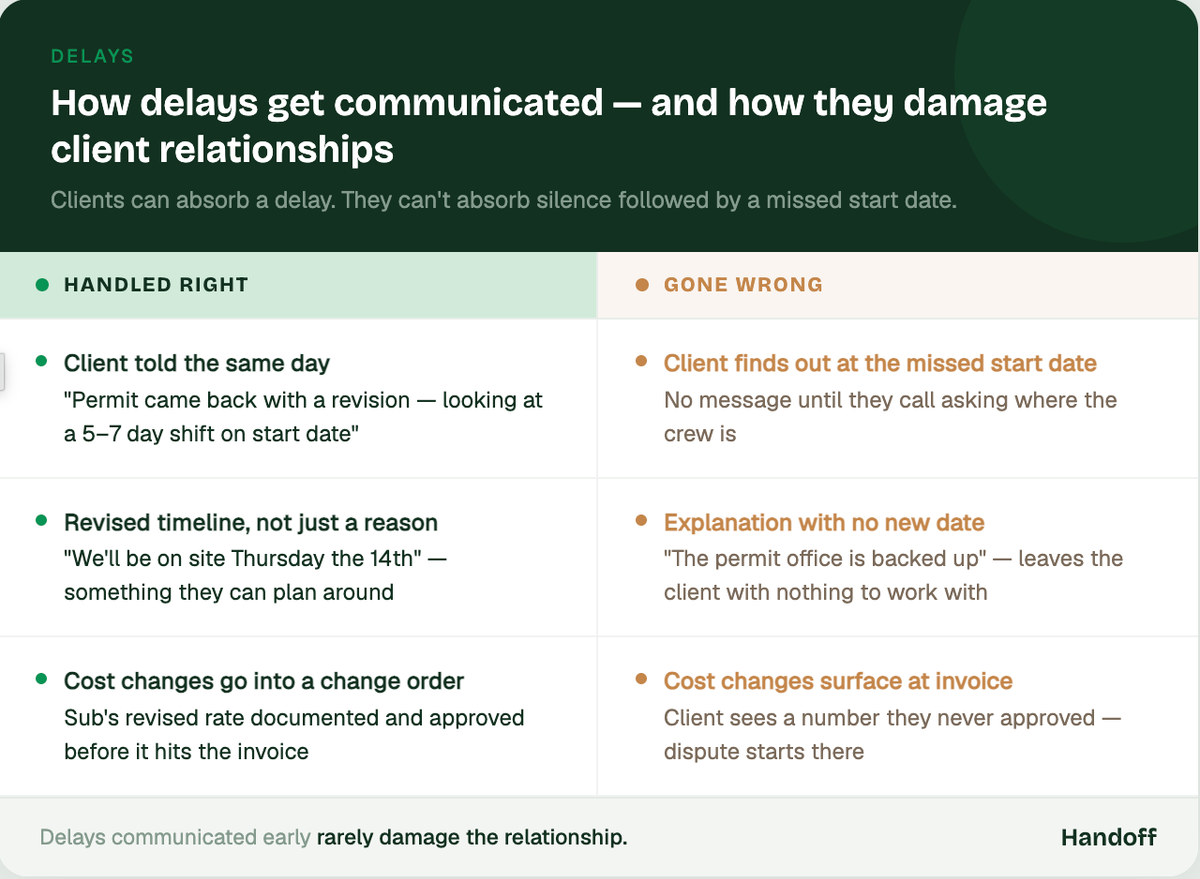
Delays are part of the industry. Permit offices run slow. Material lead times shift. A sub gets pulled to another job. Clients know this happens. What they don't forgive is finding out when it’s too late.
Contractors who keep clients through delays do one thing differently: they communicate before the client has to ask.
- Tell the client the same day you know. A quick message — "permit came back with a revision request, we're looking at a 5–7 day shift on the start date" — lands completely differently than silence followed by a missed start date.
- Give a revised timeline, not just a reason. Clients can absorb a delay. They can't absorb uncertainty. "We'll be on site Thursday the 14th" is something they can work with.
- Tie schedule changes to the estimate record. If a delay causes a cost change — a sub's revised rate, expedited materials, additional staging — that needs to go into a change order before it shows up on the invoice.
Delays that are communicated early rarely damage the relationship. The ones that surface at invoice time almost always do.
Automating construction estimates to handle add-ons and delays
Manual estimating breaks down the moment a job changes. You update the spreadsheet, or you don't. You remember to add the change order, or you don't. By the time the job closes, reconciling what was estimated against what was built takes longer than the estimate did in the first place.
Automating your estimates eliminates most of that reconciliation work.
- Start every job with a connected estimate. When the original scope, the change orders, and the invoices all live in the same record, any change to the estimate flows through automatically. There’s no separate spreadsheet to update, no invoice to rebuild from scratch.
- Build change orders from the original line items. A good estimating system lets you add scope directly to the existing estimate rather than creating a separate document. The client sees the updated total. The invoice reflects the full approved scope.
- Use templates for your most common add-ons. Tile upgrades, additional demo, fixture swaps — if you do these on every other job, they shouldn't require manual pricing every time. A template with current material costs and your standard markup means the change order is built in two minutes, not twenty.
- Set milestone invoices that pull from the live estimate. If the estimate changes between demo and rough-in, the milestone invoice should reflect that — not the version from the original walkthrough.
According to Autodesk's Construction Technology Report, contractors using connected estimating and project management tools report significantly fewer billing disputes and faster payment cycles than those managing scope changes manually. The reason is straightforward: when the estimate is the source of truth for everything that follows, there's nothing to reconcile at the end.
Handoff connects your estimate, change orders, and invoices in one record — so add-ons are captured the moment they're approved and delays never create a paper trail problem.
The follow-up habit that closes the gap
Even with a good system, jobs drift. The best contractors run a quick end-of-week check on every active job:
- Are all approved add-ons in the estimate?
- Are any schedule changes documented?
- Is the next milestone invoice ready to send?
Five minutes on Friday afternoon closes the gap between what happened on the job and what the client sees on the invoice. It also means you're never walking into a final invoice conversation without a complete paper trail.
Other FAQs about handling delays and add-ons
What's the best way to document a change order on a residential remodel?
A written description of the scope change, a price, and client approval before work begins — in that order. A signed change order tied to the original estimate is the cleanest version. A text confirmation works as a backup. A verbal yes with no follow-up documentation is how billing disputes start.
How do you automate construction estimates for a small remodeling business?
Start with a connected platform that links your estimate, change orders, and invoices to the same job record. Build templates for your most common project types and add-ons so you’re not repricing from scratch every time. The goal is for every scope change to flow into the estimate automatically — so the invoice at the end of the job reflects the full approved scope without any manual reconciliation.
How do you tell a client about a delay without damaging the relationship?
Tell them the same day you know, give a specific revised timeline, and explain what changed. Clients can absorb delays — what they struggle with is uncertainty and silence. A short, clear message sent early almost always lands better than a longer explanation sent after the client has already started wondering what happened.
Ready to win more jobs with less manual work? Try Handoff free →