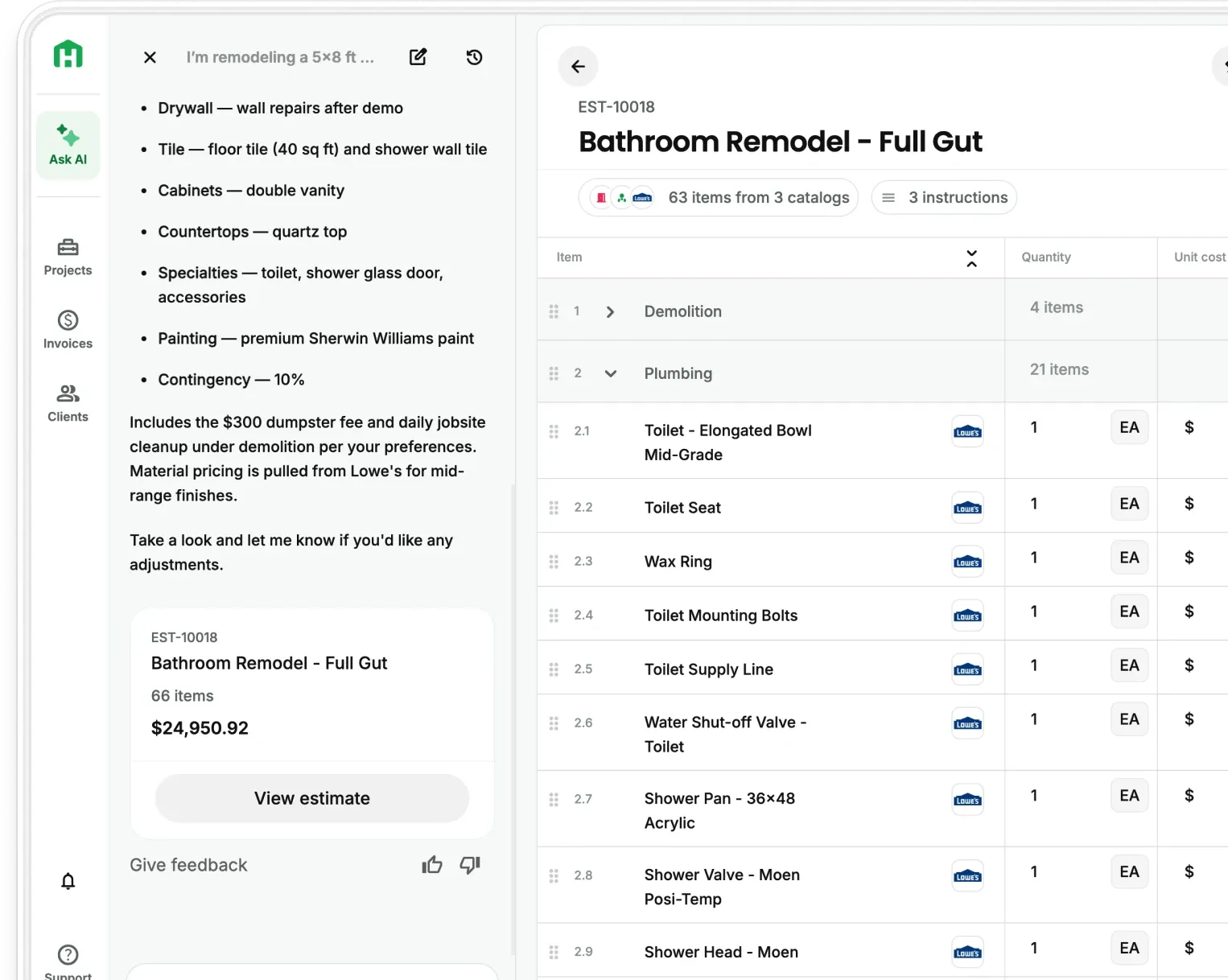
Your subcontractor bid can now start with the scope already in your estimate and stay connected all the way through award.
Scale customers can now give subcontractors and vendors their own place to work with them in Handoff without adding seats or asking subs to create accounts . The scope starts with the estimate you already built, and the information that comes back stays connected to the project instead of disappearing into texts, emails, and spreadsheets. Available now on Handoff Scale plans.
What sub coordination costs you right now
Ask a GC how they run bids and the answer is usually some version of the same thing. The scope goes out in an email, or six emails. The bids come back as texts, screenshots, and one PDF. Somebody builds a spreadsheet to line them up. Half the subs need a phone call before they answer at all.
The part that costs the most is the part nobody counts. When six subs price the same job from six differently worded emails, they are not pricing the same job. The spread you are looking at is partly real and partly a scope mismatch you created by accident.
Then you award the work, and the rate you agreed to sits in a text thread. It does not go back into the estimate. Now you have to bring that number back into your estimate yourself, creating one more place for the job and the bid to fall out of sync.
What your subs actually see
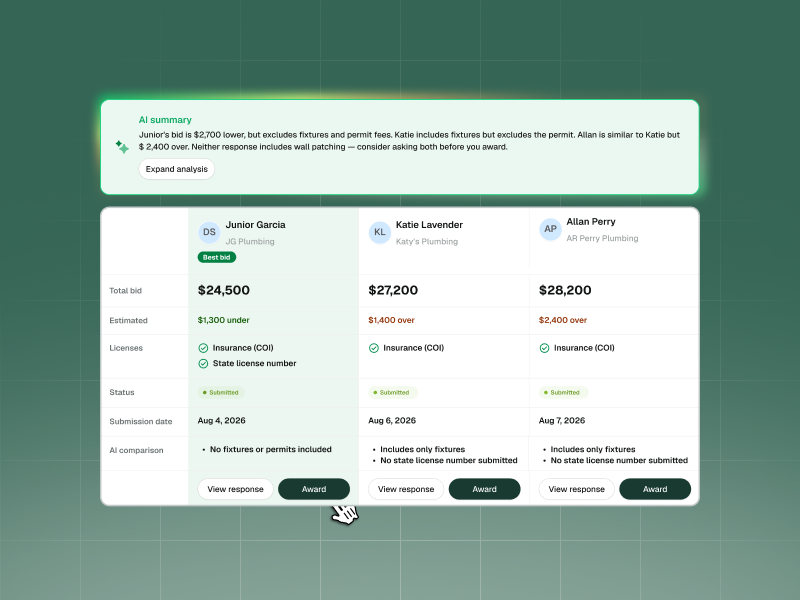
Send a sub a link by text or email and they can open their portal immediately. They don't need a Handoff account or another app to get started.
Inside, they see only what you shared with them on that project:
- Documents. Drawings, specs, and any other file you want them to have, with secure downloads.
- Schedule. The phases you assigned them, with automated reminders so you are not the reminder.
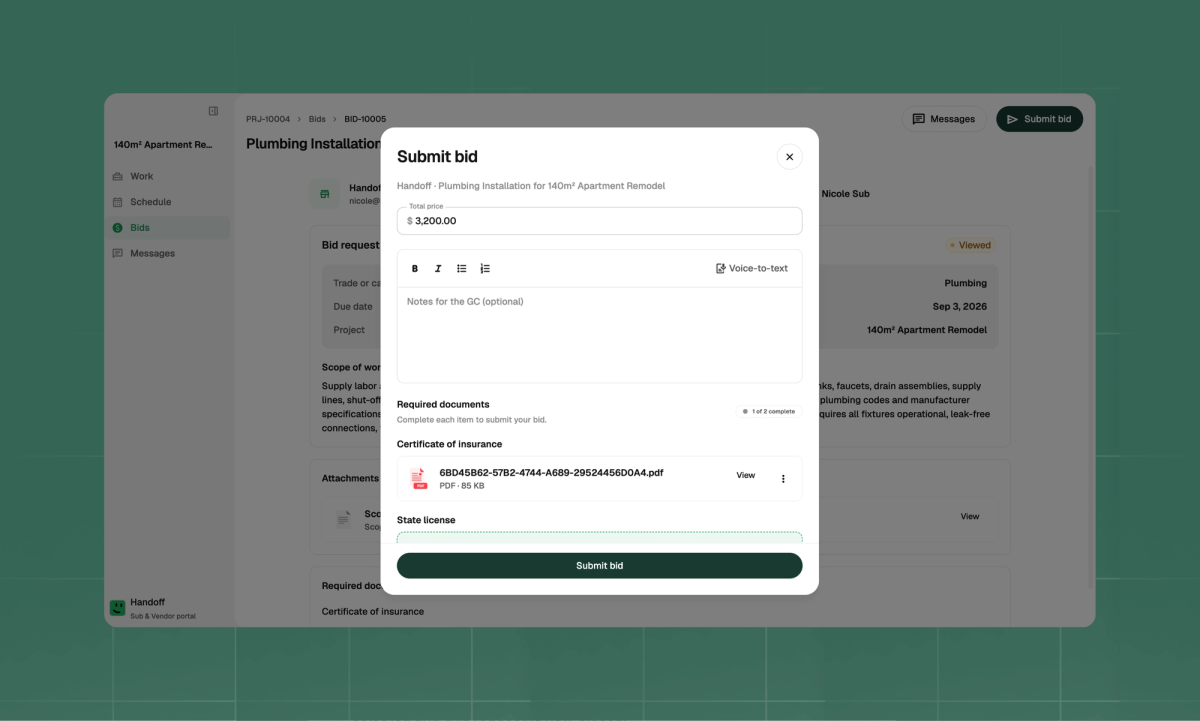
- Bid requests. The scope you sent, with a structured form to price it. Not a blank reply field.
- Daily logs. Subs post job updates from the field, and they land in the project log you already read.
- Invoices. Subs upload their invoice files, and you push them into the project budget in one click.
- Messages. A thread on the project, or on a specific item, so the conversation stays attached to the thing it is about.
How the bid loop closes
The bid request starts with your estimate. The winning number ends up back in it.
- Generate the request from your estimate. Your AI Teammate reads the rows already in your estimate and writes a scoped bid request. Every sub prices the same defined work.
- Send it to as many subs as you want. Email or text. No seat cost, no account setup on their end.
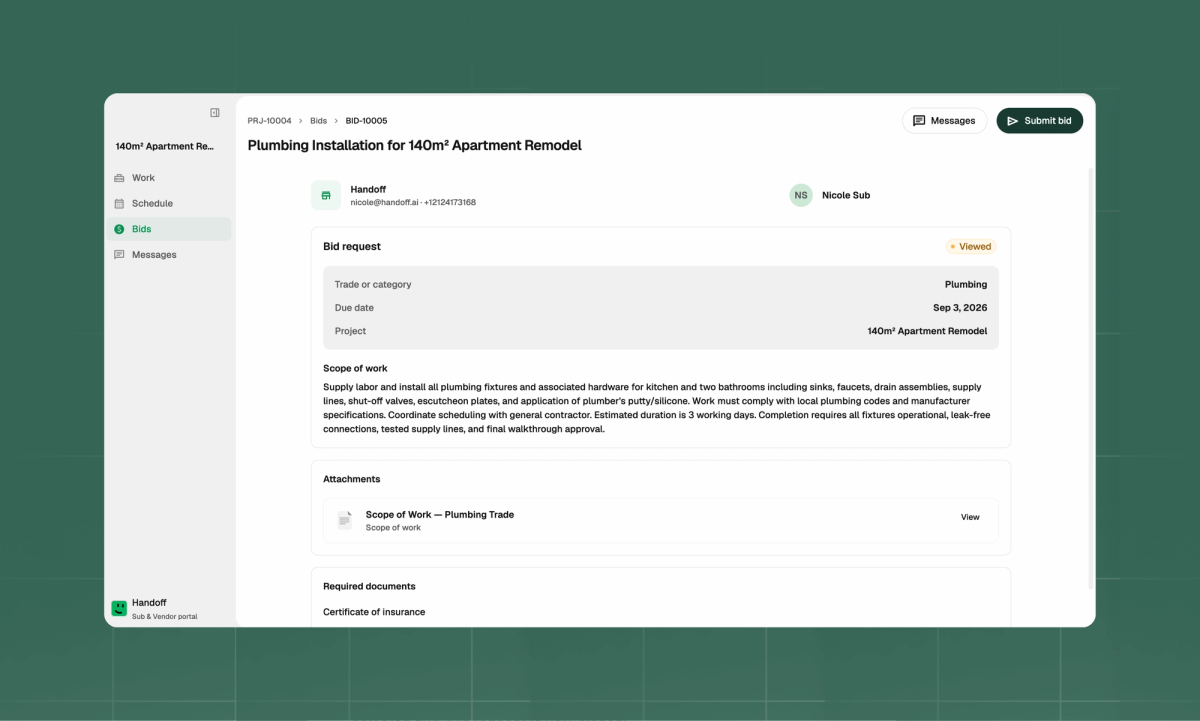
- Collect structured responses. Subs price the scope in a form. What comes back is comparable by design instead of comparable after you rebuild it in a spreadsheet.
- Compare side by side. See each bid against the same scope, with differences called out so you can understand where the numbers diverge. Your AI Teammate can recommend a bid, but you make the final call.
- Apply the rate to the estimate. The awarded rate goes back into your estimate. No re-entry, no blank line, no note to yourself.
How to invite your first sub
- Open a project and go to the Subcontractor Portal
- Invite a sub or vendor by email or phone number
- Choose what they can access — Each sub sees only the project information relevant to their work.
- Generate a bid request from your estimate and send it
- Compare the responses as they come in, then award
They never create an account. You never buy a seat.
Available now on Handoff Scale plans
The Subcontractor Portal is live for all Scale accounts, with no per-sub or per-vendor cost.
The workflow stays connected from the first bid request through the job itself. Awarded rates return to your estimate, while invoices from your subs can move into the project budget without rebuilding the same information somewhere else.
Ready to close the subcontractor bid loop in Handoff? See what is included in Scale or reach out to the team
Other FAQs about the Subcontractor Portal
Do my subs need to create an account?
No. They get a link by email or text, tap it, and they are in. No password, no signup, nothing to install.
Does it cost extra per sub?
No. The Subcontractor Portal is included with Scale, and there is no seat cost for the subs and vendors you invite.
Does the AI decide which bid wins?
No. It lines the bids up, flags where they diverge, and tells you what it would take. You award the work.