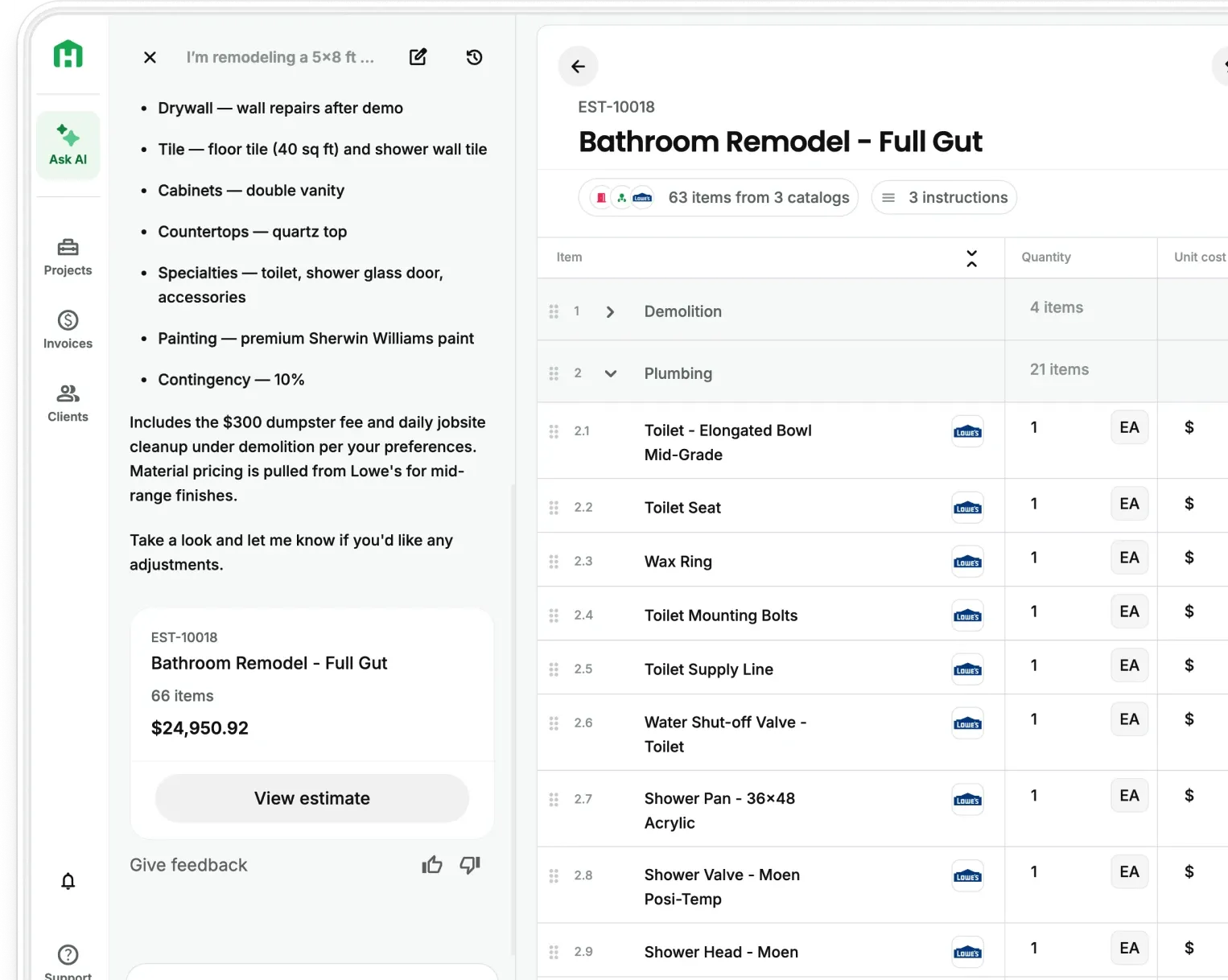
Updated Templates and Presets: Let Handoff act as your second brain
The best contractors aren't just good at the work; they're good at running a business. They know their numbers, they close fast, and they show up with a proposal that makes the decision easy.
The hard part is doing that consistently as you grow. More jobs means more estimates, more proposals, more end-to-end coordination. At some point, you need a system you trust that scales with you instead of slowing you down.
That's exactly what Handoff's updated Templates and Presets features are built for. Train the AI on how your business works so you can offload admin to AI. Your pricing rules, your document formats, your material costs, every estimate and document reflect your standards. Not just when you run it. Every time anyone on your team does.
AI trained to think like you
Right now, everything your business knows lives in your head. Your markup, your preferred materials, the way you close business, you've spent years building that knowledge. The problem isn't knowing it. It's that you have to apply it manually every single time.
As your business grows, that becomes the bottleneck. You hire an estimator and spend weeks getting them up to speed. You take on more projects and don’t have the time to be in the weeds on the admin. The thing that made you good at this starts getting diluted.
Handoff fixes that by letting you train your standards into the AI itself. Set them once. Scale without limits.
Train it once. Trust it every time.
With Handoff's updated Templates and Presets, you can now teach the AI how your business runs.
There are three things you can configure:
1. Smart AI Presets: Your pricing and decision rules
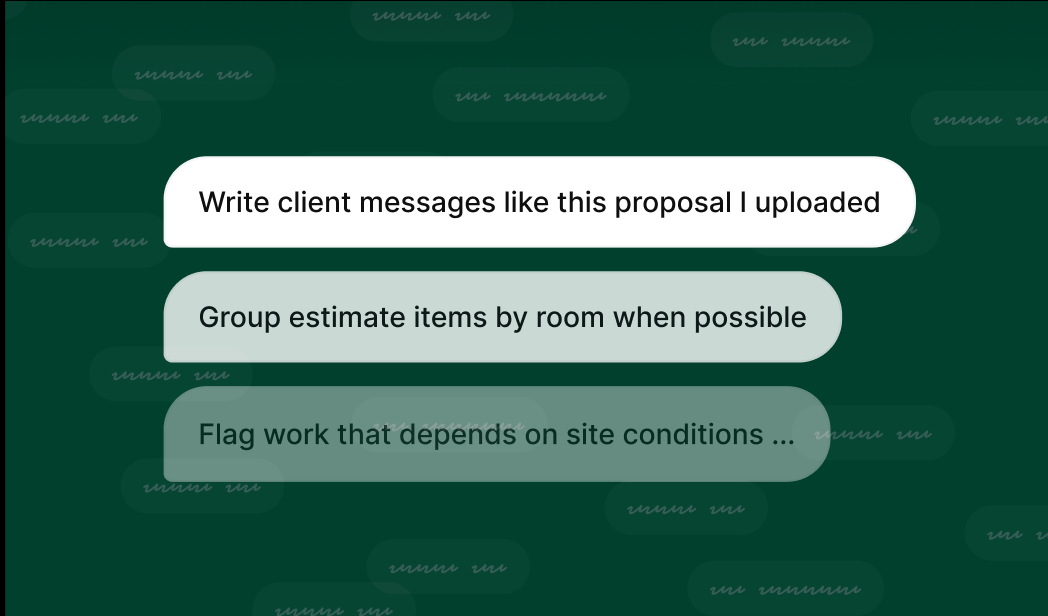
Save the rules that define how you operate, and Handoff applies them automatically across estimates and documents.
"Always add 10% waste on tile." "Mark up materials 25%." "Include a mobilization fee on jobs over $15K."
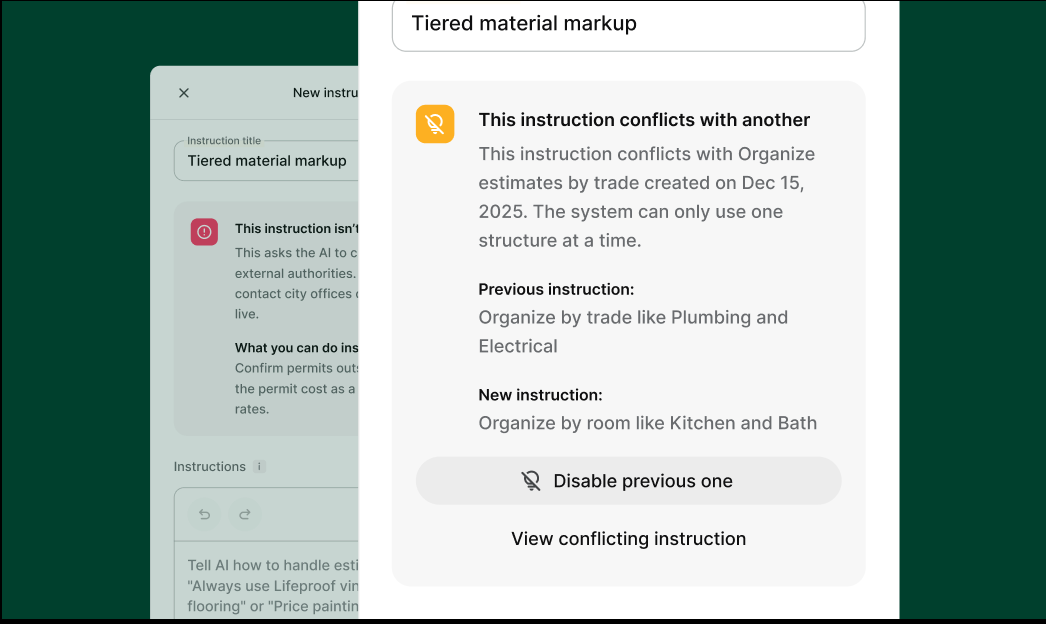
These presets apply everywhere. Not just the next estimate, but every estimate. And before they run, Handoff validates them. If two rules conflict, or if something won't apply cleanly to a specific job, it tells you why instead of silently getting it wrong - acting as your second brain, saving you time and reducing admin overhead.
You can create presets from the chat interface, too. If you're mid-estimate and think of a rule you always follow, just say it. Handoff saves it for you.
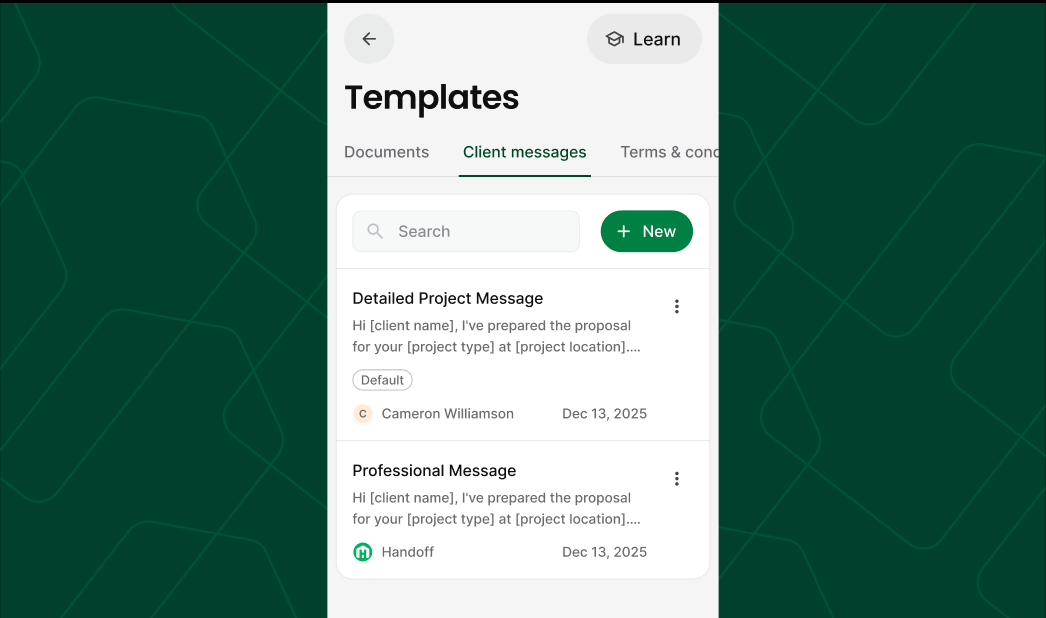
2. Personalized Templates: Your exact deliverables
Your documents, proposals, and invoices should look like your company, not a generic AI output.
Create templates for every deliverable you send - proposals, work orders, daily logs, scope documents, and more. Set a default, or let Handoff choose the right template based on context (residential remodel vs. custom build, for example).
Don't have a template yet? Ask Handoff to draft one based on your preferences and save it. Next job, it's ready.
3. Custom Catalogs: Your real prices
Generic AI uses generic prices. Your business doesn't operate on generic prices.
Upload your supplier quotes, sub bids, and cost books. Handoff matches catalog items to your projects and prices them using your actual costs, not just regional averages or guesses. You can also pull current pricing from Lowe's and Home Depot directly (more supplier integrations coming).
What this means in practice
You've been on a job site when a homeowner asks for a rough number. You give them a ballpark. It's in range because you use these standards on 100 projects like this one, but not in your hands ready.
That's what this is. Except it gets you all the way to estimate and beyond instead of just “here’s a ballpark and I’ll get back to you soon”.
Set your rules. Set your templates. Upload your pricing. From that point on, Handoff delivers what you'd deliver - in minutes, consistently, every time.
Markups don't shift. Scope doesn't drift. Your intro language, your payment terms, and your preferred materials are all trained to the way you think
Who this is built for
If you're doing a handful of estimates a week and spending hours per job, this is for you. If you've got a team and you need every estimate to follow the same standards you set, regardless of who runs it, this is especially for you.
Available now
Updated Templates and Presets are live for Business and Trial plan users today. Log in, head to Settings → Presets to get started, or ask Handoff's AI to walk you through setup.
The more you put in, the more consistently it performs. Most contractors get it dialed in within one or two projects.
Frequently Asked Questions (FAQ)
What are Templates and Presets in Handoff?
They’re a way to train Handoff to operate like your business. Presets control your pricing rules and decision logic, templates control how your documents look and read, and catalogs ensure your estimates use your real costs. Together, they standardize how every job is built and delivered.
How do Smart AI Presets actually work?
You define rules once, like markups, waste factors, or job-specific conditions, and Handoff applies them automatically across every estimate and document. It also validates those rules before running, so if something conflicts or doesn’t apply cleanly, you’re alerted instead of getting a bad output.
Can I customize proposals and documents to match my brand?
Yes. Personalized templates let you control exactly how your proposals, scopes, invoices, and logs look and read. You can set defaults or let Handoff choose the right format based on the type of project, so everything stays consistent and professional.
How does Handoff handle pricing accuracy?
Instead of relying on generic data, you can upload your own supplier quotes, subcontractor bids, and cost catalogs. Handoff uses that information to price jobs based on your actual costs, so your estimates stay aligned with how your business really operates.
Will this help my team stay consistent as we grow?
That’s one of the biggest benefits. Instead of relying on individuals to remember how you do things, your standards live inside the system. Whether it’s you or someone on your team building the estimate, the output stays consistent every time.
How long does it take to set everything up?
Most contractors get it dialed in within one or two projects. You can build presets and templates as you go, even directly from chat, so it doesn’t require a big upfront setup to start seeing value.