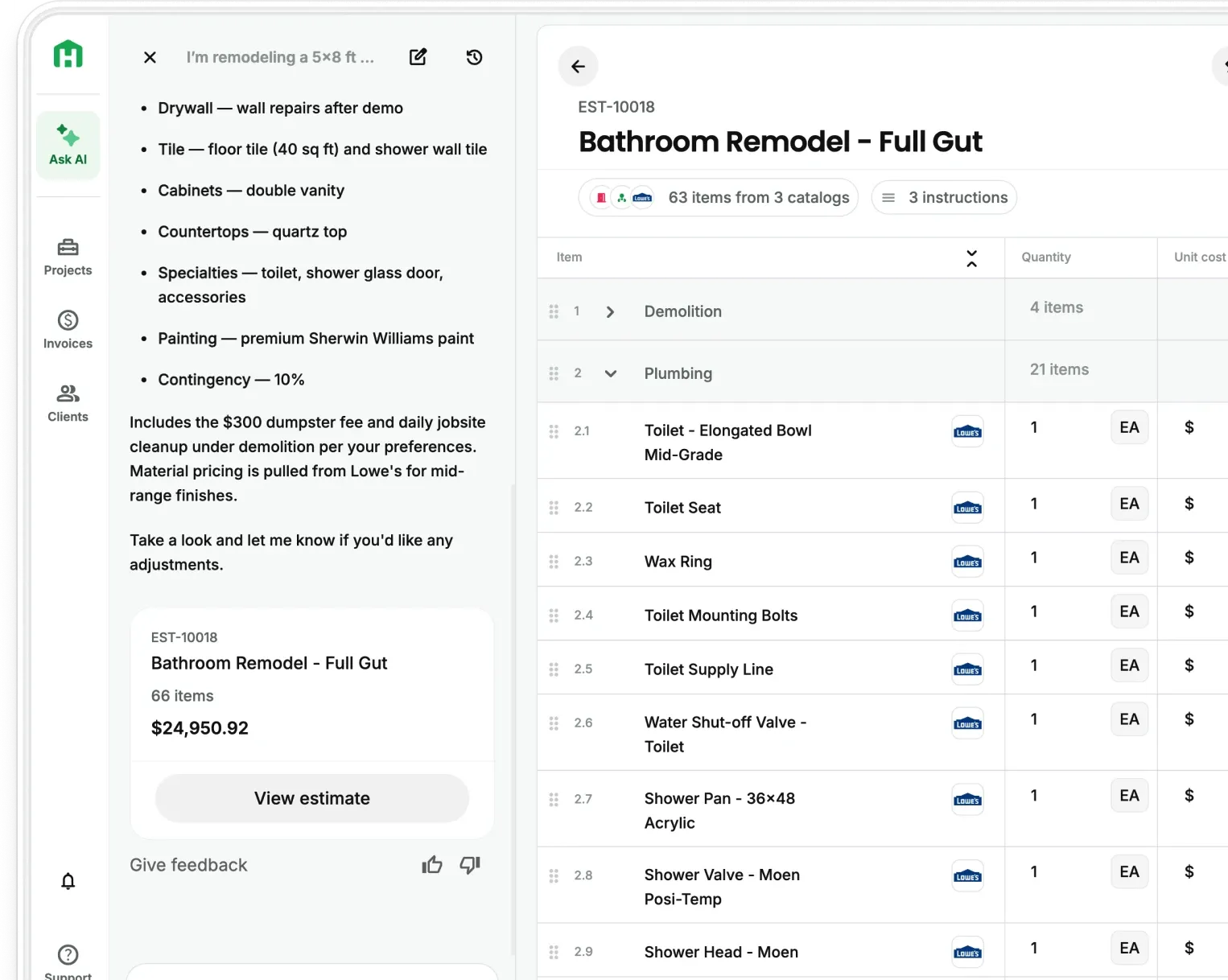
Handoff now connects with QuickBooks Online through QB & Global Finances. Eligible Handoff projects and approved estimates sync to QuickBooks, while QuickBooks invoices, payments, and supported expenses flow back into matching Handoff projects.
You can see current costs and profitability in Handoff while your bookkeeper keeps QuickBooks as the source of truth for your books.
Available now on the Pro and Scale plans.
Keep project work and accounting records connected
Most contractors run projects in one place and keep the books in another. The problem starts when information has to be moved between them manually.
A material purchase gets entered in QuickBooks but never reaches the project budget. A client makes a partial payment, but the project team cannot see the updated balance. You either enter the information twice or make decisions using incomplete costs.
QB & Global Finances connects those records. Your team can manage projects in Handoff, your bookkeeper can keep working in QuickBooks, and financial activity from QuickBooks updates the matching projects in Handoff.
What QB & Global Finances does
- Sends eligible projects to QuickBooks Online. Choose how new Handoff projects appear in QuickBooks and whether every project syncs or only projects with an approved estimate.
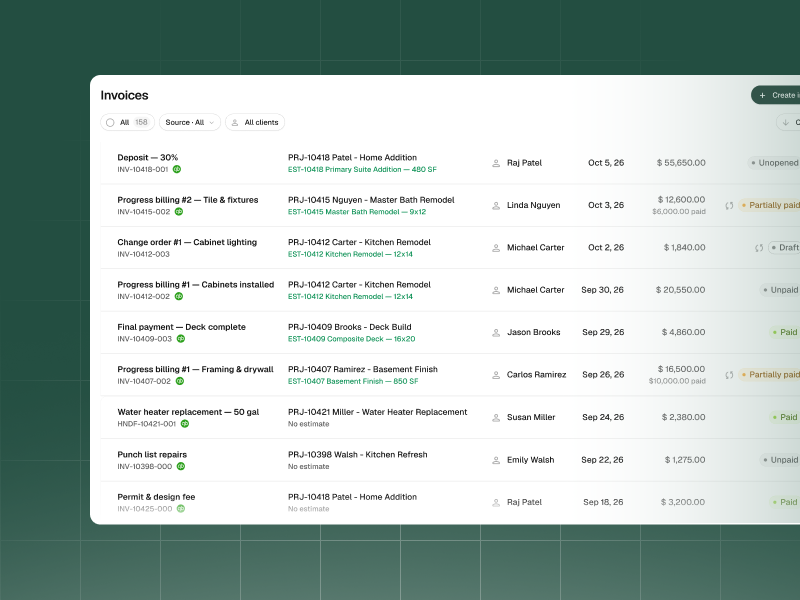
- Brings QuickBooks invoices and payments into Handoff. QuickBooks invoices appear as read-only records on the Handoff Invoices page. Payments update the matching invoice, including the amount paid and remaining balance for partial payments.
- Brings supported expenses into one review queue. Expenses attached to a mapped QuickBooks job import into the matching Handoff project. Records attached to an unmatched QuickBooks job do not import.
- Keeps expenses without a project visible. Expenses without a QuickBooks job can import as Global or Unassigned. You can keep an Unassigned expense as overhead or assign it to one or more projects.
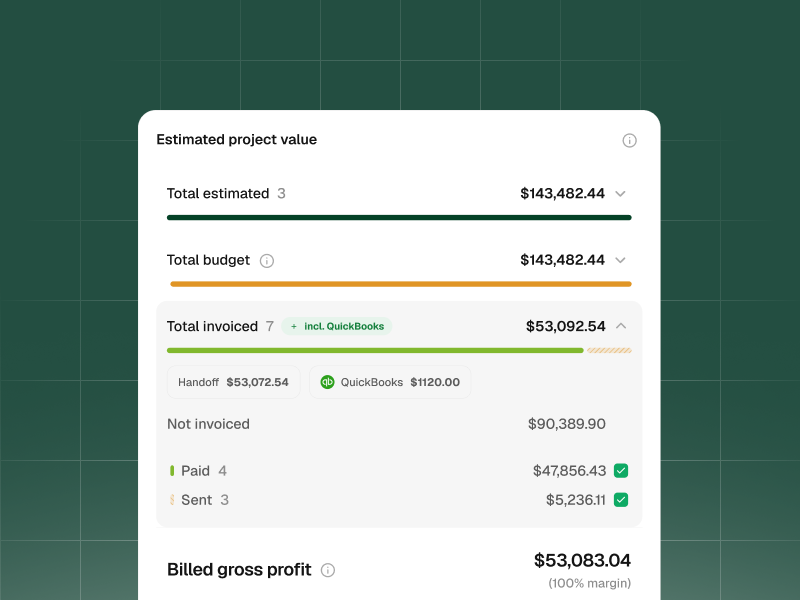
- Updates project costs and profitability. Synced financial records update invoice totals, actual costs, and project profitability without duplicating values. You can also ask your AI Teammate questions using the synced financial information.
QuickBooks stays your accounting system
QuickBooks remains the source of truth for your accounting records. Your bookkeeper can continue working there while Handoff uses the synced records to show current project costs and profitability.
QuickBooks invoices remain read-only in Handoff, so accounting changes continue to happen in QuickBooks.
How to get started
- Open Settings in Handoff and connect QuickBooks Online.
- Choose how new Handoff projects should appear in QuickBooks.
- Decide whether to sync every project or only projects with an approved estimate.
- Review which records sync and their direction.
- Review imported expenses and assign any that remain Unassigned.
Your Settings page shows which QuickBooks company is connected, when it last synced successfully, and which records sync in each direction.
New mapping rules apply only to future records. Handoff does not automatically import records that were skipped before a mapping was created or changed.
QB & Global Finances is available on the Pro and Scale plans. See plans and pricing.
Other FAQs about connecting Handoff and QuickBooks Online
Will QuickBooks create projects in Handoff?
No. Projects sync from Handoff to QuickBooks. Create the project in Handoff first.
What happens when an expense has no project?
Handoff keeps it as Unassigned. You can keep it as overhead or assign it to one or more projects.
What happens to records tied to an unmatched QuickBooks job?
They do not import into Handoff. The QuickBooks job must be mapped to a matching Handoff project.
Can I edit a QuickBooks invoice in Handoff?
No. QuickBooks invoices are read-only in Handoff. Make accounting changes in QuickBooks, and the updated information will sync to Handoff.
Will changing a mapping update older expenses?
No. Mapping changes apply to future expenses only. Previously skipped records are not imported automatically.
Does an expense need a cost code to count as a project cost?
No. Project assignment and cost code assignment are separate. An expense can become a project cost without a cost code or budget-line match.
What happens if I disconnect QuickBooks?
New syncs stop, but records already imported into Handoff remain available.